Feb 14, 2026

4 min read

When you're turning an idea into a real product, it’s tempting to jump straight to the pretty stuff. But skipping steps almost always leads to costly rework and a clunky user experience. The real secret is moving from a rough concept to a developer-ready screen in stages, and that's where wireframes and mockups come in. They're two totally different things, but you need both.
The simplest way to think about it is this: a wireframe is a low-fidelity structural blueprint—like an architect's floor plan. It maps out where everything goes and how it all connects. On the other hand, a mockup is a high-fidelity static visual that shows exactly what the final product will look like, almost like an interior designer's final render.
The key isn't picking one over the other; it's about using them in the right order to build something solid.
Think of building an app like building a house. You wouldn't start hanging artwork before the walls are even framed, right? The wireframe is that initial framing. It’s a bare-bones, often black-and-white sketch focused purely on layout, user flow, and the hierarchy of information. Its only job is to answer the question, "How will this work?"
Once everyone agrees on that structure, you move on to the mockup. This is where the personality and visual identity come to life. The mockup injects color, typography, branding, and real imagery. It answers the question, "How will this look and feel?" This visual preview is absolutely critical for getting stakeholders excited and giving developers a pixel-perfect target to build toward.
For teams trying to ship an MVP on a tight schedule, getting this sequence right is everything. It saves countless hours of back-and-forth later on.
To put it all in one place, here’s a quick breakdown of the fundamental differences. This table should clear up any lingering confusion about what each one brings to the table.
| Attribute | Wireframe (The Blueprint) | Mockup (The Preview) |
|---|---|---|
| Fidelity | Low-fidelity, focused on structure and layout. | High-fidelity, focused on visual design and aesthetics. |
| Purpose | To define information architecture and user flow. | To present the final look and feel of the product. |
| Interactivity | None. It is a static, structural diagram. | None. It is a static image of the final design. |
| Audience | Internal teams (designers, developers, product managers). | Stakeholders, clients, and the development team. |
| Tools Used | Balsamiq, pen and paper, basic Figma/Sketch shapes. | Figma, Sketch, Adobe XD with full visual assets. |
As you can see, they serve distinct purposes for different audiences and are built with different tools. One is about function, the other about form.
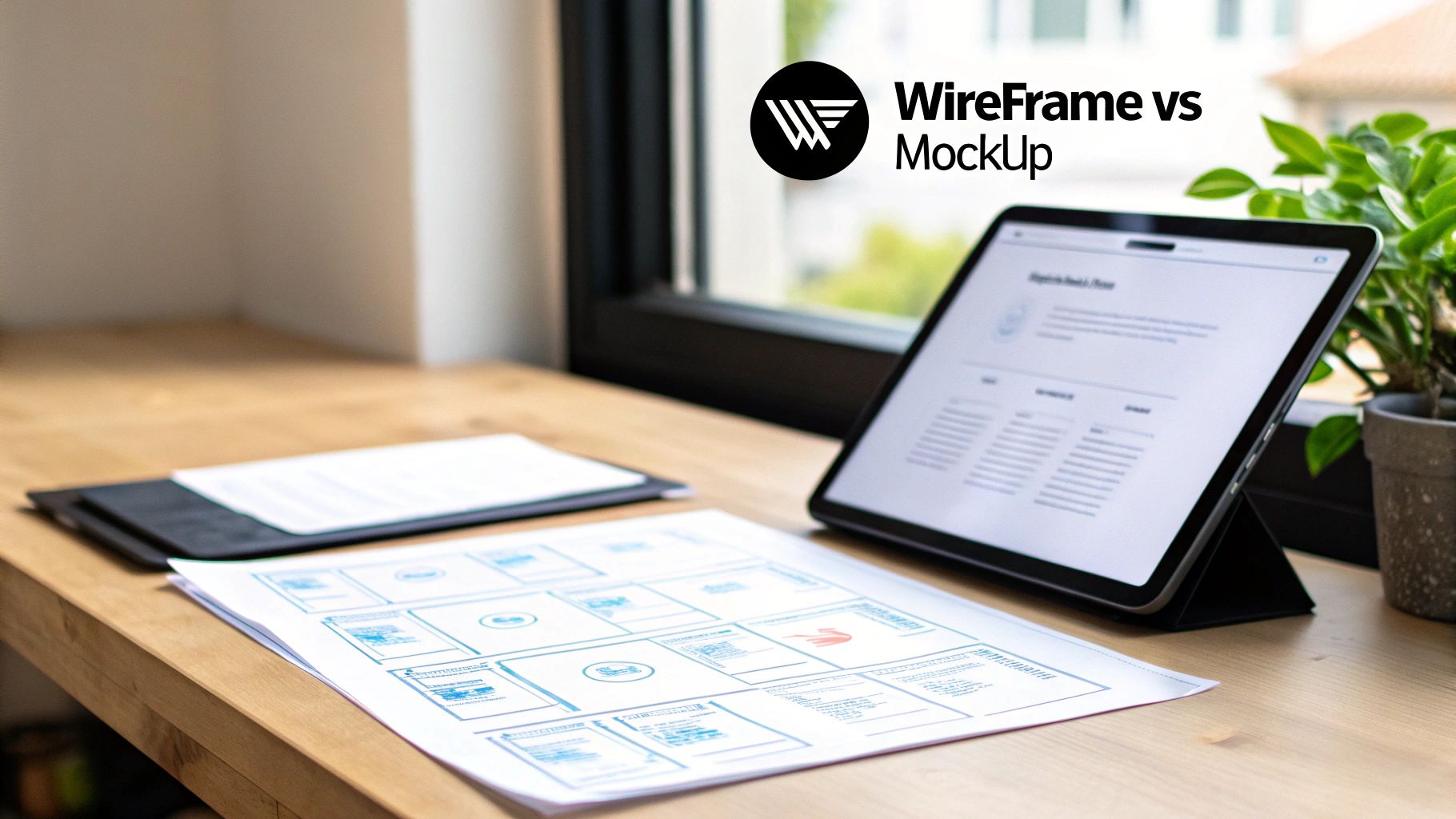
This progression from a stripped-down wireframe to a polished mockup shows exactly how the process works. You start with the bones, then you add the skin. Each step has its place and ensures the final product is both functional and beautiful.
Before you even think about color palettes or pick a single font, the best digital products start with a much simpler question: "How is this thing actually going to work?" This is precisely where wireframes come in. They are the architectural blueprints for your app, intentionally stripping away all the visual flair to laser-focus on structure, functionality, and the user's journey.
Imagine you're building a new fintech app. It’s tempting to jump straight into designing a slick, modern interface. But first, you have to map out the core user authentication flow. A wireframe lays this out with nothing more than basic boxes and text, showing the sequence of screens: login, password entry, two-factor auth, and finally, the dashboard. This forces everyone on the team to agree on the functional steps before anyone gets sidetracked by the color of a button.
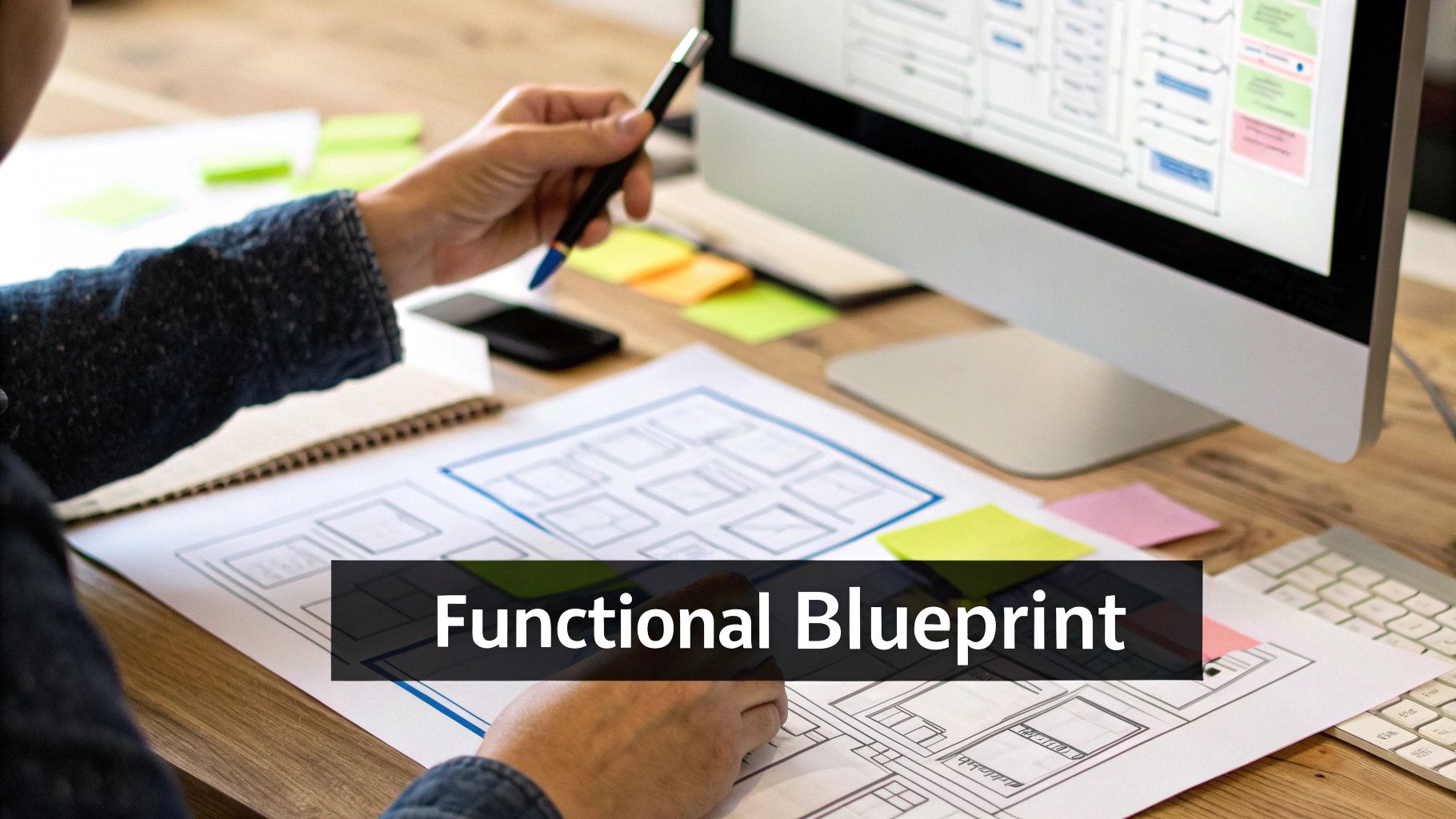
The main job of a wireframe is to establish a solid information architecture and a clear content hierarchy. It’s all about organizing your content and features in a way that just feels right to the user. By getting the layout and navigation paths figured out first, teams can spot potential usability problems early on—back when they’re still cheap and easy to fix.
This is where wireframes really prove their worth. In the breakneck pace of app development, particularly for indie React Native developers and lean startups, wireframes have been shown to cut early-stage design time by up to 70%. Research that analyzed over 500 design teams globally found that these simple blueprints are used 80% more often than mockups for gathering initial internal feedback. Why? Because they keep stakeholders focused on the structure and slash the miscommunications that plague 45% of projects that jump straight into high-fidelity designs.
A wireframe's power is in its simplicity. By stripping out all the visual noise, it forces stakeholders to give feedback on what actually matters: usability, navigation, and core functionality. That focus prevents a world of expensive rework down the road.
Take a social media feed, for example. A wireframe defines where key elements go—the nav bar, the post content, the like buttons, and the comment sections. It forces you to answer critical questions upfront:
Because wireframes are so quick to create, they’re perfect for experimentation. A team can sketch out three or four different layout concepts in a single afternoon, get feedback, and pick the best direction without sinking a ton of time or money into it. This rapid iteration cycle is absolutely vital for refining the user experience from the ground up.
This process also keeps the whole team on the same page. Developers can look at wireframes and anticipate technical needs, while product managers can use them to confirm the design is hitting business goals. The feedback loop is tight, efficient, and all about the user's journey. For a great hands-on walkthrough of this process, check out this guide on how to create wireframes for websites.
At the end of the day, wireframes aren't just about drawing boxes on a screen; they're a strategic tool for managing risk. If you're working on more complex projects, you might also want to read our deeper dive into creating high-fidelity wireframes. By getting the functional foundation right first, you ensure the core user experience is solid before you ever move on to the visual polish of the mockup phase.
If a wireframe is the structural blueprint for your app, the mockup is the stunning, photorealistic render that actually sells the vision. It’s the critical bridge between abstract planning and the final, coded product. Mockups breathe life into the wireframe’s skeleton, layering on the visual elements that give an application its unique personality and feel.
This is where your brand identity truly comes to life. Color palettes, typography, iconography, spacing, and realistic content all come together to create a static but incredibly detailed preview of the final UI. A mockup’s primary job is to answer one question: “How will this actually look and feel to the end user?”
One of the biggest roles a mockup plays is getting everyone on the same page. It’s far easier for clients, investors, and executives to understand and approve a tangible visual than a bunch of grey boxes. Presenting a polished mockup helps everyone visualize the end product, which makes feedback rounds much more productive and focused.
In fact, high-fidelity mockups have been shown to boost stakeholder buy-in by 85% compared to wireframes alone. These detailed renders offer a realistic preview of the final product, which is vital in client presentations where 78% of decisions hinge on visual appeal. They do take more time to create than wireframes, but they pay it back by cutting downstream revisions by a whopping 40%. This helps prevent those costly, painful developer handoffs that go wrong in over half of projects that skip this stage. You can check out the Venngage survey for more on this.
A mockup transforms a functional concept into an emotional experience. It’s the first time a stakeholder can truly see the product, making it an indispensable tool for alignment and approval before a single line of code is written.
For developers, a well-executed mockup is a gold standard. It cuts through the noise and serves as a precise visual specification for the build. When a developer gets a detailed mockup, they know exactly what colors to use, which fonts to implement, and what the spacing and layout should be, right down to the last pixel.
This level of clarity is essential for a smooth developer handoff. A great mockup ensures the final build perfectly matches the design intent, stopping the endless back-and-forth and rework. It's the definitive guide for translating a design into a functional, beautiful application. Getting the specifics of an effective mobile app interface design right can make or break this entire process.
Here are a few key things a mockup provides for developers:
In modern workflows, the line between a mockup and the initial build can be intentionally blurred to save an incredible amount of time. This is where pre-built UI kits and templates become so valuable. For developers, especially those in startups or on small teams, these kits can act as production-ready mockups.
Instead of a designer creating a mockup from scratch in Figma and a developer rebuilding it in code, a team can use a high-fidelity UI kit as the starting point for both. For example, a dashboard template from gluestack market provides not just the visual design for settings screens or user profiles, but also the underlying, production-ready code. This approach saves hundreds of hours, ensuring that what you see in the "mockup" is exactly what you get in the final application, dramatically accelerating your path from concept to launch.
Telling the difference between a wireframe and a mockup is more than just a visual exercise. It's really about understanding their unique jobs, the tools you use to build them, and the questions they're meant to answer at different points in your project. Getting this right saves a ton of time, prevents expensive do-overs, and keeps everyone on the same page. The real distinction isn't just about looks versus layout—it’s about strategy.
Let's break down the practical differences across four key areas: fidelity, purpose, tools, and audience. Nailing these details helps your team work smarter, making sure each design phase does exactly what it's supposed to without muddying the waters.
The most obvious split between mockups and wireframes is fidelity—basically, how detailed and realistic they are. Wireframes are intentionally low-fidelity. Think simple shapes, placeholder boxes, and a grayscale color scheme. The whole point is to focus everyone's attention on the layout, content hierarchy, and how a user moves through the app. They are the bare-bones blueprints, stripped of any aesthetic fluff so you can get honest feedback on pure function.
Mockups, on the other hand, are high-fidelity. While they're static, they are a rich, visual snapshot of the final product. A mockup brings in your project’s actual color palette, typography, icons, and even realistic images. This level of detail makes the design feel real, showing stakeholders and developers exactly what the finished product should look like, down to the pixel.
While both designs guide the development process, they have completely different missions. A wireframe’s main job is to get everyone to agree on function and structure. It forces the team to hash out the tough questions about usability and navigation long before a single line of code is written or a pixel is pushed. It’s all about mapping the user journey and making sure the foundation is solid.
A mockup’s purpose is to nail down the visual identity and emotional connection of the product. You'll use it to get stakeholders excited and on board, run more realistic user tests based on aesthetics, and give developers a crystal-clear visual spec to work from. A mockup solidifies the look and feel, making sure the brand shines through consistently.
A simple way to think about it: Use wireframes to answer, “How will this work?” and mockups to answer, “How will it look and feel?” This little distinction is your best guide for knowing what to create and when.
The tools for each stage are a dead giveaway of their different goals. Wireframing tools are all about speed and simplicity, letting you throw ideas around and iterate in real-time.
This graphic really sums up what you're trying to achieve with a good mockup.
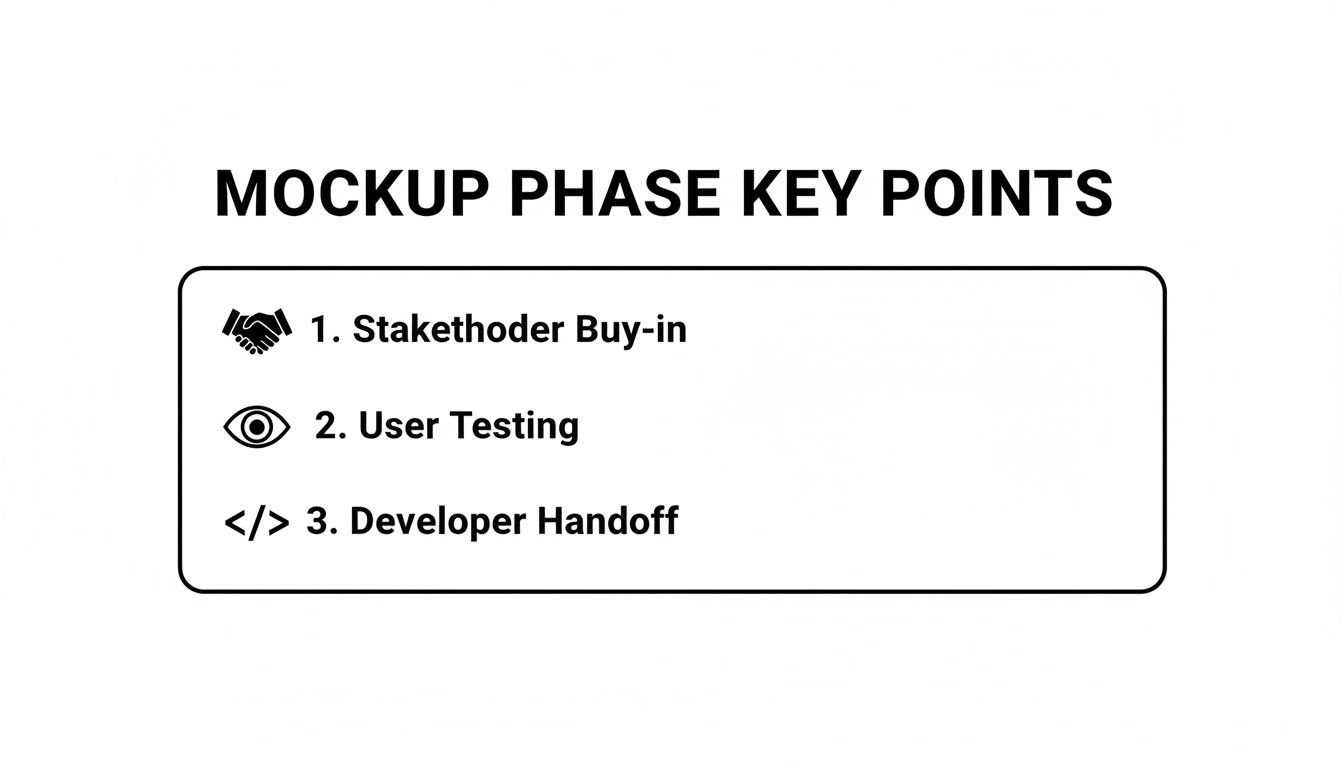
As you can see, mockups are absolutely essential for getting stakeholder approval, running meaningful user tests, and paving the way for a smooth handoff to the engineering team.
Finally, you always have to think about who you're talking to. Wireframes are almost always for an internal audience—product managers, developers, and other designers. They create a shared language to talk about functionality and flow, making sure the team is aligned on the core architecture before anyone gets too far ahead. The feedback you want is structural, not stylistic.
Mockups, however, are often built for a much wider audience that includes clients, investors, and other external stakeholders. Their polished look makes the product vision feel tangible and exciting, which is critical for presentations and getting that final sign-off. For developers, a mockup is the ultimate source of truth, leaving zero ambiguity about how the final product should look and behave.
Getting from a rough idea to a developer-ready screen isn't magic—it's a methodical process. When you map this workflow out, teams sidestep those costly misunderstandings and ensure the final build actually matches the original vision. Each stage intentionally builds on the last, turning an abstract thought into something real and buildable.
The whole journey kicks off with a simple sketch and wraps up with a detailed spec sheet that a developer can run with, no questions asked. Following these steps in order—wireframe, mockup, then handoff—is just the smartest way to build quality apps.

Every great app starts as an idea, but it first takes real shape as a wireframe. This is where you focus purely on structure and user flow, answering one big question: "How will this even work?" It’s a cheap, fast way to check if your core functionality makes sense before sinking serious time and money into it.
During the internal review of a wireframe, keep the conversation laser-focused on usability. You should be asking questions like:
Nailing the structure early on is a massive time-saver. One study of over 10,000 software teams found that projects that prioritized wireframing before mockups hit a 60% faster time-to-prototype. This one step shrunk development cycles from 4-6 months to under 3 months in 70% of cases—a game-changer for teams racing to build an MVP. The full Aha! Products report shows how this approach saves teams an average of $20,000-$50,000 per project.
Once everyone signs off on the wireframe's functional blueprint, it's time to create the mockup. This is all about the visual design. Here, you're transforming that skeletal structure into a high-fidelity preview of the final product. You'll bring in color palettes, typography, branding, and real content to show exactly what the app will look and feel like.
The mockup becomes the star of the show for stakeholder presentations. Its polished look makes the vision feel real, helping you get buy-in and build excitement. This visual clarity is crucial for getting everyone—from the C-suite to the marketing team—on the same page before a single line of code is written. Our guide on creating a wireframe for a website can give you a solid jumpstart on this first phase.
A well-documented mockup is more than just a pretty picture; it's a detailed set of instructions. It should leave no room for guesswork, empowering developers to build with precision and confidence.
The developer handoff is where so many projects fall apart, but a solid mockup can make it incredibly smooth. A successful handoff is more than just emailing a JPEG. The mockup file needs to be documented with crystal-clear specifications.
Your documentation should absolutely include:
This level of detail is what separates a smooth workflow from a chaotic one. Luckily, modern tools can take a lot of this pain away. Production-ready templates, like the ones from gluestack market, act as both the high-fidelity mockup and the initial coded component.
Because they’re built with universal frameworks like Tailwind CSS, these templates completely bridge the gap between design and development. A designer can use the template as a visual guide, and the developer uses that exact same asset as their starting code. This approach kills visual discrepancies, wipes out ambiguity, and radically shortens the time from an approved mockup to a functioning screen. It guarantees that what you see is what you get.
Figuring out the difference between a wireframe and a mockup is one thing. Knowing exactly which one to use—and when—is what separates a smooth project from one stuck in a death loop of revisions. It all comes down to your team’s size, where you are in the project, and what you need to accomplish right now. There’s no magic formula, just smart, strategic decisions that save a ton of time and money.
Think of these design artifacts as flexible tools, not rigid requirements. You just need to pick the right one for the job to get a high-quality app out the door faster.
When you're an indie dev or a startup, you're in a race to build an MVP. Speed and validation are everything. The main goal is to prove your core idea works without sinking a ton of cash into it. That means your workflow has to be lean and to the point.
Start with low-fidelity wireframes. Use them to quickly map out user flows and core features. This is your chance to get some quick internal feedback and make sure the app’s skeleton is solid before you even think about visual design. It’s all about function, not form.
Once that structure feels right, you can actually skip the traditional, often slow, mockup phase. Instead, you can grab pre-built, production-ready templates from a marketplace like gluestack market. These templates pull double duty: they’re your high-fidelity mockup and your initial codebase. This lets you jump straight from a validated wireframe to functional, coded screens, slashing your development time and getting your MVP to market in record time.
For lean teams, time is the one resource you can't get back. Use wireframes to validate your structure fast, then use production-ready UI kits to leapfrog the old-school mockup phase entirely. This is the shortest path from idea to code.
Working with clients is a different game. Here, clarity and alignment are king. Your process has to build trust and make sure the final product is exactly what the stakeholders signed off on. In this world, both wireframes and mockups have critical, non-negotiable roles.
Kick things off with wireframes to lay down the project's foundation and get that first crucial client buy-in. When you present a simple, grayscale layout, the feedback stays focused on usability and content hierarchy. It keeps clients from getting hung up on colors and fonts way too early. Getting that initial sign-off on the blueprint protects you from massive structural changes down the road.
After the wireframes are locked in, it's time to create custom, high-fidelity mockups. This is your big presentation piece. The mockup is what sells the visual vision, showing off your design chops and giving the client a real taste of the final product. This is where you finalize the branding, aesthetics, and the whole look and feel, getting the final green light you need to start coding with confidence. Following this two-step process leads to a predictable workflow and happy clients every time.
Even with a clear understanding of the difference between wireframes and mockups, some practical questions always pop up during the design process. Let's tackle a few of the most common ones we see from developers and product teams.
A wireframe always comes first. Always.
Think of it as the architectural blueprint for your app. You have to nail down the structure, layout, and user flow with a low-fidelity wireframe before you even think about adding the visual polish of a high-fidelity mockup. Jumping straight to a mockup is a classic rookie mistake that almost guarantees significant rework down the line—it's like painting the walls before you're even sure the rooms are in the right place.
Not really. A mockup is a static, high-fidelity visual representation of what the final product will look like. Its job is to communicate the feel of the app, not its function. It's all about colors, fonts, and branding, but it won't have any clickable or interactive elements.
If you need to test user flows or show off how the app actually works, you'll want to build a prototype. A prototype is the next step after a mockup, and that's where the interactivity comes in.
The progression is almost always a straight line: Wireframe (structure) → Mockup (visuals) → Prototype (interaction). Each step builds on the last, helping you catch issues early and de-risk the entire project.
For most professional projects, especially when you're dealing with clients or building something with complex user flows, the answer is a resounding yes. Using both is highly recommended. Wireframes get everyone on the same page about functionality, while mockups get the final sign-off on the visual direction.
But what about a quick internal tool or a weekend MVP? In that case, a solo developer might sketch out a simple wireframe and then jump straight into a pre-built UI kit. That kit can act as both the mockup and the foundational code, effectively merging the steps to get to a working product faster. It all comes down to choosing the right process for your project's scale and goals.
Ready to accelerate your workflow and close the gap between design and code? Check out the gluestack market for production-ready templates and UI kits that help you ship beautiful, cross-platform apps in a fraction of the time. Find your perfect template at https://market.gluestack.io.

Feb 23, 2026
4 min read
Discover powerful mobile app monetization strategies to boost your revenue. Our guide covers IAPs, ads, and subscriptions for React Native apps and beyond.

Feb 22, 2026
4 min read
A clear guide to app development cost estimation. Learn what drives costs, see budget examples, and discover strategies to build your app for less.

Feb 21, 2026
4 min read
Discover how to promote mobile application effectively with proven ASO, paid campaigns, and retention strategies.

Feb 15, 2026
4 min read
Discover how to create a prototype of a website with a practical, step-by-step guide. Explore tools, testing methods, and tips to bring your idea to life.

Feb 13, 2026
4 min read
Discover how mobile apps templates accelerate development. Learn to choose, customize, and deploy high-quality React Native templates for your next project.

Feb 12, 2026
4 min read
Explore mobile application interface design with practical tips, core principles, and platform-aware workflows to craft apps users love.

Feb 10, 2026
4 min read
Learn mobile first design principles to craft fast, accessible apps that delight users. Practical tips, examples, and testing strategies.

Feb 08, 2026
4 min read
Explore the progressive web app vs native debate with our in-depth guide. We compare performance, cost, and UX to help you make the right strategic choice.

Feb 07, 2026
4 min read
Discover how React Native templates can accelerate your app development. This guide explores choosing, customizing, and deploying templates for faster launches.

Feb 05, 2026
4 min read
Discover the key differences between expo vs react native, including workflow, builds, and performance to help you pick the right path for your app.

Feb 03, 2026
4 min read
Master image with text overlay in React Native with responsive, accessible patterns. Learn expo setup, NativeWind styling, and gluestack-ui examples.

Feb 03, 2026
4 min read
Discover cross platform app development with proven strategies to build faster for iOS, Android, and the web using a single, unified codebase.

Feb 01, 2026
4 min read
Learn how to make an app for my business quickly with template-based steps from planning to launch, plus tips to scale and optimize.

Jan 31, 2026
4 min read
Ready to build an app? This guide shares practical strategies for validating your idea, choosing a tech stack, and navigating the App Store launch.

Jan 30, 2026
4 min read
Master responsive design for mobile apps with this guide on fluid layouts, breakpoints, and React Native. Build UIs that adapt perfectly to any screen.

Jan 25, 2026
4 min read
Learn how to design an Android app that stands out. This guide covers UX research, wireframing, Material Design, and the developer handoff process.

Jan 24, 2026
4 min read
Explore ui design web essentials: a complete guide to principles, responsive patterns, and workflows for intuitive, engaging web interfaces.

Jan 23, 2026
4 min read
Discover 10 essential mobile app design best practices for building exceptional cross-platform apps. Actionable tips for UI, UX, navigation, and performance.

Jan 21, 2026
4 min read
Discover how to debug React Native apps effectively. This guide covers Flipper, React DevTools, and native code troubleshooting for faster development cycles.

Jan 20, 2026
4 min read
Learn how to create app for your business with a practical, modern approach. Plan, customize, and launch with proven steps.

Jan 19, 2026
4 min read
A complete guide to mobile app development for startups. Learn how to validate your idea, build an MVP, and launch a successful app faster and more affordably.

Jan 18, 2026
4 min read
Discover how to choose the right React website template to accelerate your project. Our guide covers everything from quality checklists to deployment.

Jan 17, 2026
4 min read
Discover how to choose, customize, and deploy a React Native app template. This guide provides practical steps for launching production-ready apps faster.

Jan 16, 2026
4 min read
Discover how mobile application templates accelerate development. This guide covers how to choose, customize, and launch your app with the right foundation.

Jan 13, 2026
4 min read
Start your journey in mobile app development for beginners. This guide breaks down how to build your first cross-platform app with React Native and Expo.

Jan 12, 2026
4 min read
Explore the best react native ui libraries and compare features, performance, and ease of use to pick the right toolkit for your app.

Jan 11, 2026
4 min read
Launch your own ride-hailing service with our guide to building a production-ready Uber app clone. Learn MVP strategy, tech stacks, and backend integration.

Jan 10, 2026
4 min read
Master modern cash app design with this guide. Learn the UI/UX, security, and React Native strategies needed to build a fintech app that users trust and love.

Jan 09, 2026
4 min read
Learn how to build a personal finance dashboard with React Native. A practical guide for developers on UI design, data architecture, and production readiness.

Jan 08, 2026
4 min read
A practical guide to building a cross-platform event check in app with React Native. Learn to implement QR scanning, offline sync, and deployment.

Jan 07, 2026
4 min read
Master linear gradient React Native components with our complete guide. Learn practical techniques for Expo, bare RN, and NativeWind to build stunning UIs.

Jan 06, 2026
4 min read
Learn how to change application name in your React Native & Expo projects. This guide covers display names, package IDs, and app store listings.

Jan 05, 2026
4 min read
Discover how to monetize mobile apps with our founder's guide. Learn proven React Native strategies for ads, IAPs, and subscriptions to maximize your revenue.

Jan 04, 2026
4 min read
A practical guide on how to create a website app with a single codebase. Learn to build for web, iOS, and Android using React Native, Expo, and TypeScript.

Jan 03, 2026
4 min read
Learn how to create an app for your business with this definitive guide. Discover practical strategies for validation, development, and launch that work.

Jan 02, 2026
4 min read
Learn how to create a wireframe for a website with this practical guide. Move from initial sketches to developer-ready designs that get built right.

Jan 01, 2026
4 min read
Deciding on progressive web application vs native? This guide offers a deep comparison of performance, cost, UX, and use cases to help you choose wisely.

Dec 31, 2025
4 min read
Discover 10 mobile app security best practices for React Native. Learn to secure data, APIs, and code with actionable tips and examples for 2025.

Dec 30, 2025
4 min read
Unlock the real React Native app development cost. Our guide breaks down pricing by feature, team, and complexity to help you budget with confidence.

Dec 29, 2025
4 min read
A practical guide to master your React Native debug workflow. Learn to use Flipper, React DevTools, and Hermes to solve bugs in Expo and bare RN apps.

Dec 28, 2025
4 min read
The ultimate React Native tutorial for beginners. Learn to build beautiful cross-platform apps using a modern stack like Expo, TypeScript, and gluestack-ui.

Dec 27, 2025
4 min read
A practical guide on how to build a mobile app. Learn to go from concept to a market-ready app using templates, React Native, and proven development strategies.

Dec 26, 2025
4 min read
Discover interface design for websites with actionable tips on layout, responsiveness, and usability to boost conversions.

Dec 25, 2025
4 min read
Discover designs for apps that blend minimal aesthetics with personalization, and learn to build user-centric interfaces that boost engagement.

Dec 24, 2025
4 min read
Learn graphical interface design - essentials for mastering core principles, modern workflows, and cross-platform strategies to build intuitive, engaging UIs.

Dec 23, 2025
4 min read
Discover how high fi wireframes bridge the gap between ideas and code. Learn a practical workflow for creating, testing, and handing off effective UI designs.

Dec 22, 2025
4 min read
Discover mobile app interface design with practical principles, accessibility, and workflows that boost user engagement.

Dec 21, 2025
4 min read
Explore the top 10 UI UX design trends for 2025. Get expert insights and practical React Native tips to build next-gen cross-platform apps that stand out.

Dec 20, 2025
4 min read
Discover how mobile app templates accelerate development from idea to launch. Learn to select, customize, and deploy templates for a faster time to market.

Dec 18, 2025
4 min read
Explore the best react native ui libraries to accelerate mobile development with performance, theming, and accessibility. Expert tips inside.

Dec 16, 2025
4 min read
Master React Native PDF handling. Learn to generate, view, and share PDFs with practical code examples, library comparisons, and performance tips.

Dec 15, 2025
4 min read
A practical guide to choosing the right React Native component library. Learn how to evaluate options, avoid common pitfalls, and build apps faster.

Dec 14, 2025
4 min read
Find the perfect React Native UI library for your project. This guide compares top libraries, selection criteria, and customization strategies.

Dec 13, 2025
4 min read
Learn how to change app name in React Native and Expo. Our guide covers display names, bundle IDs, and store listings for iOS and Android projects.

Dec 12, 2025
4 min read
Discover the best React Native component library for your next project. We compare top libraries on performance, customization, and real-world use cases.

Dec 11, 2025
4 min read
Discover how to choose the right React Native UI kit. This guide covers top kits, selection criteria, and customization to accelerate your app development.

Dec 10, 2025
4 min read
Explore our in-depth guide to find the best React Native UI library. We compare top contenders to help you choose the right fit for your project.

Dec 09, 2025
4 min read
Discover a practical approach to building apps with React Native. This guide covers setup, UI, state management, and testing to help you ship great apps.

Dec 08, 2025
4 min read
android login with facebook: Learn to set up the Facebook SDK, manage tokens, and implement secure authentication across native Android, cross-platform apps.

Dec 07, 2025
4 min read
Master the alert in React Native. Learn to handle platform differences, build custom modals, and apply best practices for a seamless user experience.

Dec 06, 2025
4 min read
keyboardavoidingview react native: Master keyboard handling with KeyboardAvoidingView across iOS, Android, Expo, and TypeScript.

Dec 05, 2025
4 min read
A practical guide to implementing a React Native PDF viewer. Learn to compare libraries, handle native setup, and troubleshoot common issues with real code.

Dec 04, 2025
4 min read
how to validate startup idea: learn proven methods like customer interviews, MVPs, and metrics to confirm market fit.

Dec 03, 2025
4 min read
how to make app like uber: Learn core features, tech stack, development steps, testing, and launch tips.

Dec 02, 2025
4 min read
Build a rock-solid React Native setup. This guide covers Expo vs. Bare workflows, TypeScript, pnpm monorepos, NativeWind, and deployment strategies.

Dec 01, 2025
4 min read
A practical guide to Stripe React Native integration. Learn to set up your server, build payment UIs, handle webhooks, and launch secure mobile payments.

Nov 30, 2025
4 min read
Learn how to master push notifications in React Native. This guide covers setup, best practices, and advanced techniques for engaging your users.

Nov 29, 2025
4 min read
Build powerful location-based apps with our practical guide to react native with google maps. Get setup guides, pro tips, and best practices for iOS & Android.

Nov 28, 2025
4 min read
Explore deep linking react native with a practical guide to configuring URL schemes, universal links, navigation, and testing for Expo and bare apps.

Nov 28, 2025
4 min read
A practical guide to building a scalable React Native design system. Learn to implement tokens, theming, and tools like NativeWind and gluestack-ui.

Nov 26, 2025
4 min read
Learn why react native expo templates speed up your projects with ready-made patterns and practical tips.

Nov 25, 2025
4 min read
Discover how to improve developer productivity with actionable strategies for workflow, tooling, and culture. A practical guide for software engineering teams.

Nov 24, 2025
4 min read
Discover the best cross platform app development tools. Compare top frameworks like Flutter and React Native to build and ship apps faster.

Nov 23, 2025
4 min read
This Expo React Native tutorial provides a hands-on guide to building cross-platform apps. Learn setup, styling with NativeWind, navigation, and deployment.

Nov 22, 2025
4 min read
Build beautiful UIs faster with this guide to Tailwind CSS React Native. Learn setup, styling, and advanced techniques with NativeWind for mobile apps.

Nov 21, 2025
4 min read
Explore our curated list of 7 top-tier React Native app examples. Discover production-ready templates and resources to build your next app faster.

Mar 19, 2025
4 min read
gluestack market offers React Native UI templates to accelerate development. Get customizable, production-ready React Native app templates and Ui kit, some free. Build faster & smarter today!


