Dec 20, 2025

4 min read

Think of a mobile app template as a pre-built foundation for your next project. It's a package of code, UI components, and core features that gives you a massive head start, letting you skip the boring, repetitive setup and jump right into building what makes your app special.
It’s a bit like a professional chef preparing for a busy dinner service. They don’t start by forging their own knives or mining salt from the earth. They begin with mise en place—a French term for having all your ingredients prepped and organized. The vegetables are chopped, the sauces are simmering, and everything is perfectly laid out. This lets the chef focus on the art of cooking, not the grunt work.
Mobile app templates are the developer's mise en place. Instead of writing code from absolute zero for things like user sign-ups, navigation menus, or settings screens, you start with a solid, battle-tested foundation. This strategic launchpad handles all the boilerplate, so you can pour your time and energy into the features that will actually wow your users.
Staring at an empty project folder can be daunting. You're facing countless hours of just setting things up—configuring files, structuring directories, and building basic UI elements—before you even get to touch your core idea. Mobile app templates completely wipe out that initial friction.
The benefits are immediate and tangible:
Let's take a quick look at how the two approaches stack up.
| Aspect | Building from Scratch | Using a Mobile App Template |
|---|---|---|
| Speed | Slow, requires building every component | Fast, leverages pre-built foundations |
| Cost | High, due to extensive development hours | Lower, reduces time spent on boilerplate |
| Initial Effort | Immense setup and configuration | Minimal, focus on features from day one |
| Architecture | You define everything, potential for error | Proven, industry-standard structure |
| Focus | Foundational and feature development | Primarily feature and UX innovation |
Ultimately, a template shifts your focus from reinvention to innovation.
With the global mobile app market projected to hit 255 billion downloads by 2025, getting to market quickly isn't just a nice-to-have; it's a critical competitive edge. A solid template can slash your development time by up to 70%. And when you're using cross-platform frameworks like React Native, you can also cut costs by 30-50% compared to building separate native apps.
A well-chosen template isn't just a shortcut. It's a strategic decision to invest your resources in what makes your app unique, not in rebuilding the wheel.
This approach is especially powerful for building cross-platform apps that need to run on both iOS and Android. If you're looking to brush up on core principles, these 10 Best Practices for Mobile App Development offer a great framework to build upon.
It's also why dedicated platforms are popping up to serve this need, which is exactly why we're introducing gluestack market as a hub for React Native templates. By giving you a ready-made structure, these resources empower you to build a polished, professional app without getting stuck in the weeds.
Choosing a mobile app template isn't just a development shortcut; it's a savvy business decision that starts paying you back long before your first user ever signs up. This is especially true when you're working with cross-platform React Native projects, where getting things done efficiently and consistently is the name of the game.
Think of it like this: you could build a house by milling all the lumber yourself, or you could start with a professionally engineered frame. You'll get a house either way, but one path is dramatically faster, more predictable, and way less likely to hit you with costly, unforeseen problems.
This strategic choice really comes down to three huge business advantages: serious cost savings, a much faster path to market, and getting a professional-grade design right out of the box.
Building an app from scratch is famously expensive. Costs have a nasty habit of spiraling out of control due to unexpected hurdles and delays. A massive chunk of any new project's budget gets eaten up by the basics—things like building authentication flows, setting up navigation, and creating user profile screens. These are absolutely necessary, but they don't give you any competitive edge.
Mobile app templates basically wipe that initial financial burden off the table.
A template de-risks your investment. You’re buying a known quantity—a stable, functional foundation. This frees you up to pour your budget into what really matters: innovation and marketing, not reinventing the wheel.
In so many industries, being the first or fastest to launch can make or break your business. The traditional development cycle—design, build, test, repeat—is a long one, and it can mean you miss your golden opportunity. Mobile app templates compress that timeline in a big way.
This speed means you can get a Minimum Viable Product (MVP) into the hands of real users much quicker. You start gathering critical feedback while your competitors are still figuring out their login screens. For startups and smaller teams, this is a game-changer, allowing them to go toe-to-toe with bigger, better-funded companies.
First impressions are everything. An app that looks clunky or is confusing to use will have a tough time keeping users around, no matter how brilliant the idea behind it is. Templates give you instant access to a polished, thoughtfully designed user interface and experience.
And this isn't just about looking pretty; it’s about usability. A well-designed template has already taken user flows, accessibility standards, and platform-specific design rules into account. This ensures your app feels intuitive and professional from the moment a user opens it, building trust and encouraging them to stick around—all without you having to spend a fortune on design talent upfront.
The strategic value of templates isn't unique to app development, either. Just as they streamline building an app, other process-focused tools are key for smooth operations. For example, using comprehensive software deployment checklist templates helps ensure reliable, error-free releases, representing a similar strategic decision for any software company.
Not all mobile app templates are created equal. Far from it. Picking the wrong one can lock you into a buggy, inflexible structure that creates more problems than it solves, completely defeating the purpose of saving time and effort.
A great template is a launchpad; a bad one is a cage.
Think of it like choosing a pre-built house frame. A solid frame is strong, up to code, and lets you easily customize the walls, rooms, and finishes. A shoddy one might look fine at first, but you’ll quickly discover crooked walls and a weak foundation that make every addition a nightmare. Your app’s foundation deserves just as much scrutiny.
This guide is your practical checklist for sorting the good from the bad, making sure you pick a foundation that truly accelerates your work.
First things first: you have to look under the hood. Clean, well-organized code is the bedrock of any stable application. If you open it up and see messy, undocumented code—often called "spaghetti code"—that's a massive red flag. It’s nearly impossible to build on, debug, or scale.
When you’re kicking the tires on a new template, look for these signs of quality:
A template without clear documentation is like a map without a legend. You might see the roads, but you'll have no idea where they lead or what the symbols mean. Prioritize clarity to avoid getting lost.
One of the biggest fears with templates is that your app will end up looking generic. A high-quality template is built specifically to avoid this trap. It should offer a flexible design system, not a rigid layout, giving you the creative freedom to inject your brand's unique identity.
Look for a template that makes it simple to change the important stuff:
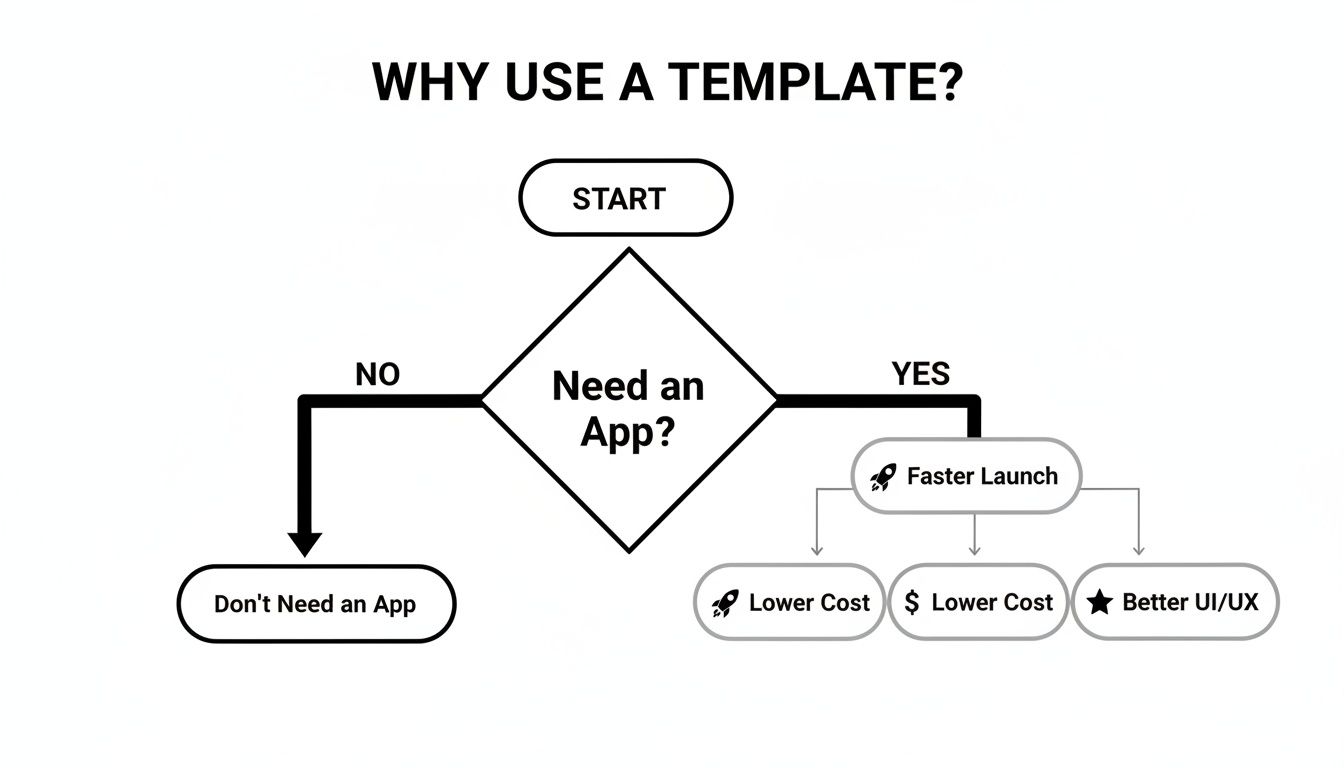
The infographic above really drives home the core reasons developers turn to templates: faster launch, lower cost, and a better starting point for UI/UX. Whether your priority is speed, budget, or design quality, a solid template offers a strategic head start.
Finally, your app needs to be fast and reliable. A template's underlying performance can make or break the user experience. You also need to think about what happens when you get stuck. Access to support can be the difference between a minor hiccup and a project-stopping roadblock.
Before you commit, make sure you verify these last few things:
Curated platforms like gluestack market do a lot of this vetting for you. They offer production-ready mobile app templates that meet high standards for code quality, design, and performance, taking a lot of the guesswork out of the selection process.
If you want to dive deeper, our guide on React Native and Expo templates can help you narrow down the perfect fit for your next cross-platform project.
Let's clear the air on one of the biggest myths about mobile app templates: the fear that you'll end up with a generic, "cookie-cutter" app that looks like a dozen others. It’s a common concern, but it completely misses the point of what a high-quality template really is.
Think of a great template less like a finished painting and more like a professionally stretched canvas with a solid sketch already laid out. The structure, proportions, and composition are all there. But you're the artist. You bring it to life with your brand's unique colors, textures, and personality.
A well-architected template isn't rigid; it’s built for adaptation. It hands you the creative freedom to build something truly distinct by focusing on three key areas: theming, component tweaks, and plugging in your own business logic.
The single fastest way to make a template feel like your own is through theming. This is where you inject your brand's visual DNA right into the app's core design system. Instead of painstakingly changing a button's color on every single screen, you define it once in a central theme file, and that change ripples across the entire app.
A robust theming system gives you control over the essentials:
By mastering the theme file, you can achieve 80% of your brand's look and feel with just a few lines of code. It's the highest-impact, lowest-effort step you can take.
Imagine a sleek finance app—it would probably use a serious, trustworthy blue and a clean sans-serif font. Now picture a kids' gaming app, which would swap in bright, playful colors and a fun, rounded font. Both could easily start from the same foundational template but end up with completely different personalities.
Once your theme is locked in, the next layer of customization is tweaking individual components and screens. High-quality templates, especially those built with modern UI libraries, make this part incredibly intuitive. Many of the best options, like the ones you'll find on gluestack market, are built with utility-first libraries that are designed for deep customization.
This is where you can start making more granular changes. Maybe you want to change a card component to have rounded corners instead of sharp ones, or add a subtle shadow to make it pop. Or perhaps you need to rearrange the layout of the user profile screen, moving the avatar to the right and adding a new section for achievements.
Because the components are modular, you can make these changes without worrying about accidentally breaking something else. That’s a massive advantage of using a professionally built template. The architecture is intentionally flexible, allowing you to tweak, extend, or even replace elements as you see fit. If you want to dive deeper, you can check out our comparison of popular React Native UI libraries to see which tools offer the most freedom.
The final and most crucial step is weaving in your unique business logic and connecting to your APIs. A template gives you the "front of house"—the polished user interface—but you provide the "back of house" engine that actually makes it all work.
This is where your app’s true value comes to life. You’ll be swapping out the template’s placeholder data with real-time information from your servers.
This is exactly where a template like AppLaunchKit shines. It provides the entire UI foundation, so instead of spending weeks building screens from scratch, you can jump straight into integrating the backend logic that makes your app special. By handling the UI, the template frees you up to focus on the complex, innovative work that truly defines your product.
Picking out the perfect mobile app template feels like a huge win, but honestly, it’s just the starting line. What you do next is what separates a successful launch from a project that gets stuck in development hell forever. Success from this point on is all about smart planning around licensing, performance, and keeping the app healthy for the long haul.
Think of it like getting a high-performance engine for a custom car. You’ve got the core power, but you still need to bolt it to the chassis, fine-tune all the systems, and remember to change the oil. Skipping these next steps is a surefire way to turn a brilliant head start into a total dead end.
This is the part where you turn a chunk of code into a real, living product—one that’s legally sound, a joy to use, and built to last.
Before you even think about writing a single line of custom code, you have to get familiar with your template's license. This is the legal agreement that spells out exactly what you can and can't do with the source code. Trust me, ignoring it now can lead to massive legal and financial headaches later.
Most templates you’ll find fall into one of two buckets:
A license isn't just boring fine print; it's the rulebook for your entire project. Spending just 5 minutes reading it can save you weeks of rework and legal stress. Always, always confirm the license fits what you plan to do before you start building.
If you don't stick to the license terms, you could be forced to rebuild your app from scratch or even face legal action. Getting this straight from day one means you’re building on solid ground.
An app that looks amazing but runs like a slug or is impossible for people with disabilities to use is, simply put, a failure. Good templates give you a great performance baseline, but every customization and piece of content you add will affect the final user experience.
Performance isn't just about raw speed—it’s about how the app feels. A snappy, responsive interface makes users happy and confident. To keep things feeling fast, zero in on these three things:
Accessibility is just as crucial. You want your app to be usable by everyone, including the 16% of people worldwide with a significant disability. Pay close attention to:
Your app is going to change, and so is the template it was built on. The person who made the template will likely release updates to fix bugs, add new features, or patch security holes. You need a plan to pull in those improvements without breaking all your custom work.
The best way to handle this is with a version control system like Git. Keep the original template code on its own branch. When an update comes out, you can carefully merge it into your main development branch. This lets you review every change from the template creator and fix any conflicts with your custom code one by one.
Sticking to a process like this is what keeps your app secure, modern, and ready to scale for years to come.
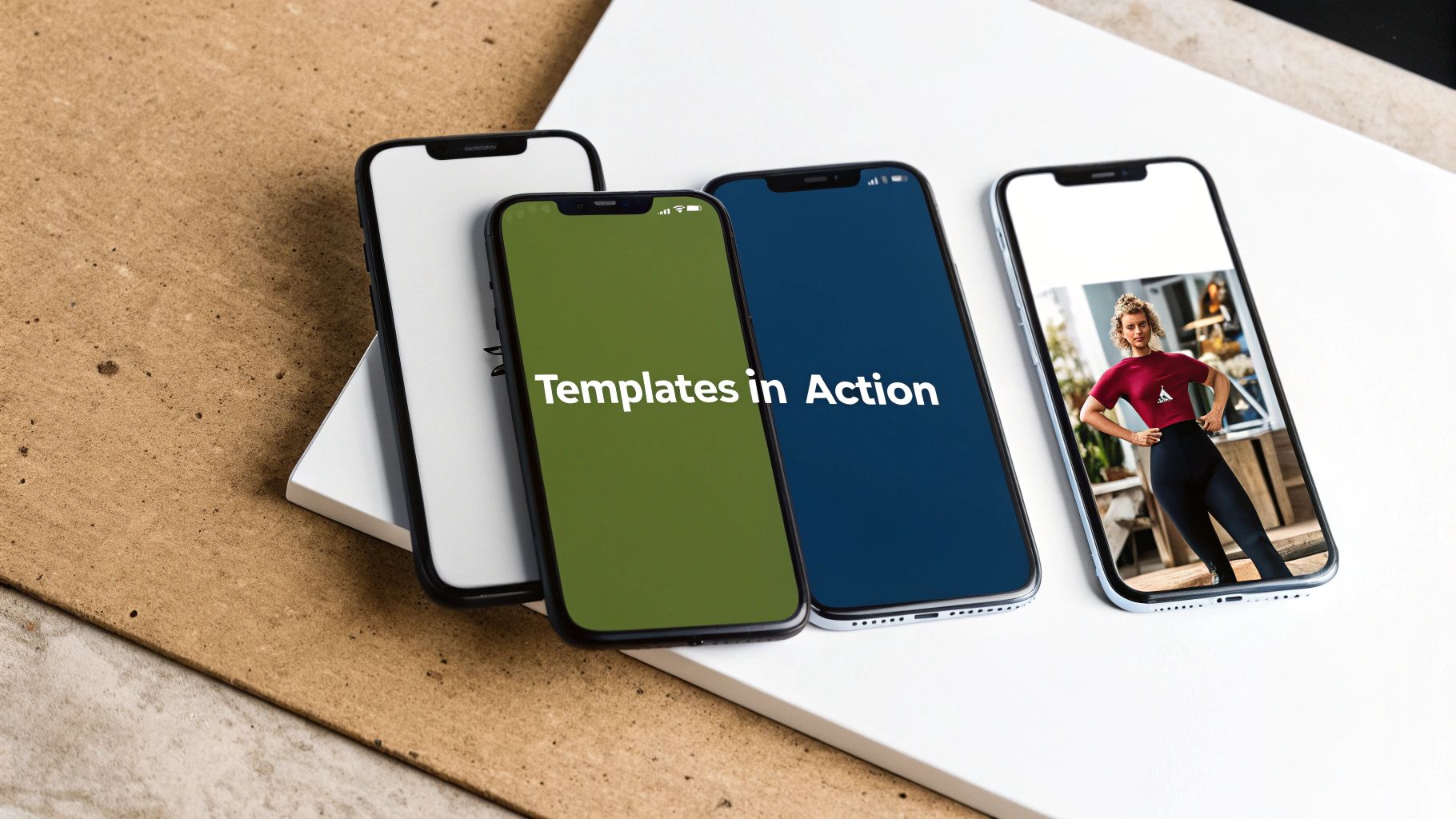
It’s one thing to talk about concepts, but it’s another to see how they actually work. Mobile app templates aren't just a theoretical shortcut; they’re battle-tested tools that power real applications across a massive range of industries. Each template is engineered from the ground up to solve the most common problems within a specific domain.
Take an e-commerce app, for instance. Instead of burning months of development time coding a product gallery, shopping cart, and secure checkout flow, a good template gives you all that right out of the box. This frees you up immediately to focus on what makes your store special—like curating amazing products and telling your brand’s story.
The real magic of this approach shines when you look at specific examples. A high-quality template for any given niche is built with a deep understanding of its target users and the features they absolutely expect.
Think of a template as the pre-wired framework of a house. The plumbing, electrical, and structural supports are already in place. This lets you focus entirely on the interior design—the paint, furniture, and unique touches that actually make it a home.
To give you a clearer picture, templates are designed with specific domain needs in mind.
| App Category | Common Included Features | Customization Focus |
|---|---|---|
| E-commerce | Product catalogs, shopping cart, checkout, user accounts, order history | Brand identity, unique product discovery features, payment gateway integration |
| Social & Dating | User profiles, newsfeed, real-time chat, matching/swiping UI | Matching algorithms, community moderation tools, unique engagement features (e.g., video stories) |
| Fitness & Health | Activity tracking, workout logs, progress charts, exercise libraries | Custom workout plans, integration with wearables (Apple Health, Google Fit), nutrition tracking |
| Productivity | Task lists, project boards, reminders, team collaboration tools | Unique workflow methodologies, third-party integrations (e.g., Slack, Google Drive), advanced reporting |
This breakdown shows how templates handle the heavy lifting, allowing you to pour your energy into the features that will make users choose your app over another.
The journey from a generic template to a breakout app is all about smart customization. The core functionality is just your starting point—a launchpad for innovation.
Let’s say you grab a dating app template from a marketplace like gluestack market. It would almost certainly include swipeable card interfaces, user profiles, and a chat function. A sharp development team could take this foundation and completely transform it by:
This whole process shows that using a mobile app template isn't about creating clones. It’s about strategically eliminating the grunt work to accelerate real innovation. By handling the common, non-differentiating features, they empower you to dedicate your time, budget, and creativity to building what truly sets your app apart.
Jumping into the world of mobile app templates can bring up a few questions. It’s totally normal. Whether you’re a seasoned dev trying to speed up your workflow or a founder building your first app, getting clear answers is key. Let’s tackle some of the most common ones I hear.
Absolutely. In fact, I’d argue they’re one of the best ways to get started. A good template gives you a complete, working project right out of the box. It’s an incredible learning tool.
Instead of staring at a blank screen wondering where to even begin, you can dive in and see how a professional app is put together. You get to deconstruct how navigation, state management, and UI components all play nicely with each other. It’s so much more effective than just reading about theory—you see best practices in action and can start making your own tweaks from day one.
That’s a fair concern, but it’s a common misconception. A high-quality template isn’t a cookie-cutter mold; it’s more like a solid architectural blueprint for a house. You get the foundation and structure, but you decide on the paint, the fixtures, and the furniture.
Through theming—swapping out colors, fonts, and spacing—and by modifying components, you can inject your unique brand and vision into the app. The whole point of a template is to handle the 80% of foundational work that’s common to most apps (think login screens, settings pages, and navigation). This frees you up to focus your creative energy on the 20% that truly makes your app stand out.
Yes, you can, but this is where you need to pay close attention to the fine print: the license. Most templates sold on marketplaces like gluestack market come with a commercial license, which typically allows you to build and sell one final product.
Always, always read the license terms before you start building. Knowing if you have a single-use or multi-use license is crucial for staying compliant and avoiding some nasty legal headaches later on.
It’s about building your business on a solid, legally sound foundation. Don't skip this step.
Ready to stop building from scratch and start innovating? Check out the production-ready React Native templates on gluestack market and get your cross-platform app out there faster than you thought possible. Find your perfect template today!

Feb 23, 2026
4 min read
Discover powerful mobile app monetization strategies to boost your revenue. Our guide covers IAPs, ads, and subscriptions for React Native apps and beyond.

Feb 22, 2026
4 min read
A clear guide to app development cost estimation. Learn what drives costs, see budget examples, and discover strategies to build your app for less.

Feb 21, 2026
4 min read
Discover how to promote mobile application effectively with proven ASO, paid campaigns, and retention strategies.

Feb 15, 2026
4 min read
Discover how to create a prototype of a website with a practical, step-by-step guide. Explore tools, testing methods, and tips to bring your idea to life.

Feb 14, 2026
4 min read
Confused about mockups vs wireframes? Learn the key differences, when to use each, and how to streamline your React Native app development workflow.

Feb 13, 2026
4 min read
Discover how mobile apps templates accelerate development. Learn to choose, customize, and deploy high-quality React Native templates for your next project.

Feb 12, 2026
4 min read
Explore mobile application interface design with practical tips, core principles, and platform-aware workflows to craft apps users love.

Feb 10, 2026
4 min read
Learn mobile first design principles to craft fast, accessible apps that delight users. Practical tips, examples, and testing strategies.

Feb 08, 2026
4 min read
Explore the progressive web app vs native debate with our in-depth guide. We compare performance, cost, and UX to help you make the right strategic choice.

Feb 07, 2026
4 min read
Discover how React Native templates can accelerate your app development. This guide explores choosing, customizing, and deploying templates for faster launches.

Feb 05, 2026
4 min read
Discover the key differences between expo vs react native, including workflow, builds, and performance to help you pick the right path for your app.

Feb 03, 2026
4 min read
Master image with text overlay in React Native with responsive, accessible patterns. Learn expo setup, NativeWind styling, and gluestack-ui examples.

Feb 03, 2026
4 min read
Discover cross platform app development with proven strategies to build faster for iOS, Android, and the web using a single, unified codebase.

Feb 01, 2026
4 min read
Learn how to make an app for my business quickly with template-based steps from planning to launch, plus tips to scale and optimize.

Jan 31, 2026
4 min read
Ready to build an app? This guide shares practical strategies for validating your idea, choosing a tech stack, and navigating the App Store launch.

Jan 30, 2026
4 min read
Master responsive design for mobile apps with this guide on fluid layouts, breakpoints, and React Native. Build UIs that adapt perfectly to any screen.

Jan 25, 2026
4 min read
Learn how to design an Android app that stands out. This guide covers UX research, wireframing, Material Design, and the developer handoff process.

Jan 24, 2026
4 min read
Explore ui design web essentials: a complete guide to principles, responsive patterns, and workflows for intuitive, engaging web interfaces.

Jan 23, 2026
4 min read
Discover 10 essential mobile app design best practices for building exceptional cross-platform apps. Actionable tips for UI, UX, navigation, and performance.

Jan 21, 2026
4 min read
Discover how to debug React Native apps effectively. This guide covers Flipper, React DevTools, and native code troubleshooting for faster development cycles.

Jan 20, 2026
4 min read
Learn how to create app for your business with a practical, modern approach. Plan, customize, and launch with proven steps.

Jan 19, 2026
4 min read
A complete guide to mobile app development for startups. Learn how to validate your idea, build an MVP, and launch a successful app faster and more affordably.

Jan 18, 2026
4 min read
Discover how to choose the right React website template to accelerate your project. Our guide covers everything from quality checklists to deployment.

Jan 17, 2026
4 min read
Discover how to choose, customize, and deploy a React Native app template. This guide provides practical steps for launching production-ready apps faster.

Jan 16, 2026
4 min read
Discover how mobile application templates accelerate development. This guide covers how to choose, customize, and launch your app with the right foundation.

Jan 13, 2026
4 min read
Start your journey in mobile app development for beginners. This guide breaks down how to build your first cross-platform app with React Native and Expo.

Jan 12, 2026
4 min read
Explore the best react native ui libraries and compare features, performance, and ease of use to pick the right toolkit for your app.

Jan 11, 2026
4 min read
Launch your own ride-hailing service with our guide to building a production-ready Uber app clone. Learn MVP strategy, tech stacks, and backend integration.

Jan 10, 2026
4 min read
Master modern cash app design with this guide. Learn the UI/UX, security, and React Native strategies needed to build a fintech app that users trust and love.

Jan 09, 2026
4 min read
Learn how to build a personal finance dashboard with React Native. A practical guide for developers on UI design, data architecture, and production readiness.

Jan 08, 2026
4 min read
A practical guide to building a cross-platform event check in app with React Native. Learn to implement QR scanning, offline sync, and deployment.

Jan 07, 2026
4 min read
Master linear gradient React Native components with our complete guide. Learn practical techniques for Expo, bare RN, and NativeWind to build stunning UIs.

Jan 06, 2026
4 min read
Learn how to change application name in your React Native & Expo projects. This guide covers display names, package IDs, and app store listings.

Jan 05, 2026
4 min read
Discover how to monetize mobile apps with our founder's guide. Learn proven React Native strategies for ads, IAPs, and subscriptions to maximize your revenue.

Jan 04, 2026
4 min read
A practical guide on how to create a website app with a single codebase. Learn to build for web, iOS, and Android using React Native, Expo, and TypeScript.

Jan 03, 2026
4 min read
Learn how to create an app for your business with this definitive guide. Discover practical strategies for validation, development, and launch that work.

Jan 02, 2026
4 min read
Learn how to create a wireframe for a website with this practical guide. Move from initial sketches to developer-ready designs that get built right.

Jan 01, 2026
4 min read
Deciding on progressive web application vs native? This guide offers a deep comparison of performance, cost, UX, and use cases to help you choose wisely.

Dec 31, 2025
4 min read
Discover 10 mobile app security best practices for React Native. Learn to secure data, APIs, and code with actionable tips and examples for 2025.

Dec 30, 2025
4 min read
Unlock the real React Native app development cost. Our guide breaks down pricing by feature, team, and complexity to help you budget with confidence.

Dec 29, 2025
4 min read
A practical guide to master your React Native debug workflow. Learn to use Flipper, React DevTools, and Hermes to solve bugs in Expo and bare RN apps.

Dec 28, 2025
4 min read
The ultimate React Native tutorial for beginners. Learn to build beautiful cross-platform apps using a modern stack like Expo, TypeScript, and gluestack-ui.

Dec 27, 2025
4 min read
A practical guide on how to build a mobile app. Learn to go from concept to a market-ready app using templates, React Native, and proven development strategies.

Dec 26, 2025
4 min read
Discover interface design for websites with actionable tips on layout, responsiveness, and usability to boost conversions.

Dec 25, 2025
4 min read
Discover designs for apps that blend minimal aesthetics with personalization, and learn to build user-centric interfaces that boost engagement.

Dec 24, 2025
4 min read
Learn graphical interface design - essentials for mastering core principles, modern workflows, and cross-platform strategies to build intuitive, engaging UIs.

Dec 23, 2025
4 min read
Discover how high fi wireframes bridge the gap between ideas and code. Learn a practical workflow for creating, testing, and handing off effective UI designs.

Dec 22, 2025
4 min read
Discover mobile app interface design with practical principles, accessibility, and workflows that boost user engagement.

Dec 21, 2025
4 min read
Explore the top 10 UI UX design trends for 2025. Get expert insights and practical React Native tips to build next-gen cross-platform apps that stand out.

Dec 18, 2025
4 min read
Explore the best react native ui libraries to accelerate mobile development with performance, theming, and accessibility. Expert tips inside.

Dec 16, 2025
4 min read
Master React Native PDF handling. Learn to generate, view, and share PDFs with practical code examples, library comparisons, and performance tips.

Dec 15, 2025
4 min read
A practical guide to choosing the right React Native component library. Learn how to evaluate options, avoid common pitfalls, and build apps faster.

Dec 14, 2025
4 min read
Find the perfect React Native UI library for your project. This guide compares top libraries, selection criteria, and customization strategies.

Dec 13, 2025
4 min read
Learn how to change app name in React Native and Expo. Our guide covers display names, bundle IDs, and store listings for iOS and Android projects.

Dec 12, 2025
4 min read
Discover the best React Native component library for your next project. We compare top libraries on performance, customization, and real-world use cases.

Dec 11, 2025
4 min read
Discover how to choose the right React Native UI kit. This guide covers top kits, selection criteria, and customization to accelerate your app development.

Dec 10, 2025
4 min read
Explore our in-depth guide to find the best React Native UI library. We compare top contenders to help you choose the right fit for your project.

Dec 09, 2025
4 min read
Discover a practical approach to building apps with React Native. This guide covers setup, UI, state management, and testing to help you ship great apps.

Dec 08, 2025
4 min read
android login with facebook: Learn to set up the Facebook SDK, manage tokens, and implement secure authentication across native Android, cross-platform apps.

Dec 07, 2025
4 min read
Master the alert in React Native. Learn to handle platform differences, build custom modals, and apply best practices for a seamless user experience.

Dec 06, 2025
4 min read
keyboardavoidingview react native: Master keyboard handling with KeyboardAvoidingView across iOS, Android, Expo, and TypeScript.

Dec 05, 2025
4 min read
A practical guide to implementing a React Native PDF viewer. Learn to compare libraries, handle native setup, and troubleshoot common issues with real code.

Dec 04, 2025
4 min read
how to validate startup idea: learn proven methods like customer interviews, MVPs, and metrics to confirm market fit.

Dec 03, 2025
4 min read
how to make app like uber: Learn core features, tech stack, development steps, testing, and launch tips.

Dec 02, 2025
4 min read
Build a rock-solid React Native setup. This guide covers Expo vs. Bare workflows, TypeScript, pnpm monorepos, NativeWind, and deployment strategies.

Dec 01, 2025
4 min read
A practical guide to Stripe React Native integration. Learn to set up your server, build payment UIs, handle webhooks, and launch secure mobile payments.

Nov 30, 2025
4 min read
Learn how to master push notifications in React Native. This guide covers setup, best practices, and advanced techniques for engaging your users.

Nov 29, 2025
4 min read
Build powerful location-based apps with our practical guide to react native with google maps. Get setup guides, pro tips, and best practices for iOS & Android.

Nov 28, 2025
4 min read
Explore deep linking react native with a practical guide to configuring URL schemes, universal links, navigation, and testing for Expo and bare apps.

Nov 28, 2025
4 min read
A practical guide to building a scalable React Native design system. Learn to implement tokens, theming, and tools like NativeWind and gluestack-ui.

Nov 26, 2025
4 min read
Learn why react native expo templates speed up your projects with ready-made patterns and practical tips.

Nov 25, 2025
4 min read
Discover how to improve developer productivity with actionable strategies for workflow, tooling, and culture. A practical guide for software engineering teams.

Nov 24, 2025
4 min read
Discover the best cross platform app development tools. Compare top frameworks like Flutter and React Native to build and ship apps faster.

Nov 23, 2025
4 min read
This Expo React Native tutorial provides a hands-on guide to building cross-platform apps. Learn setup, styling with NativeWind, navigation, and deployment.

Nov 22, 2025
4 min read
Build beautiful UIs faster with this guide to Tailwind CSS React Native. Learn setup, styling, and advanced techniques with NativeWind for mobile apps.

Nov 21, 2025
4 min read
Explore our curated list of 7 top-tier React Native app examples. Discover production-ready templates and resources to build your next app faster.

Mar 19, 2025
4 min read
gluestack market offers React Native UI templates to accelerate development. Get customizable, production-ready React Native app templates and Ui kit, some free. Build faster & smarter today!


