Jan 19, 2026

4 min read

So, you have an idea for an app. That's the exciting part—the spark. But turning that spark into a real, market-ready product is a journey. It’s a calculated process of validating your concept, building a smart first version (your MVP), picking the right tech like React Native, and getting it into the hands of real users to see what they actually do.
This entire game is about speed, learning, and not wasting a dime.
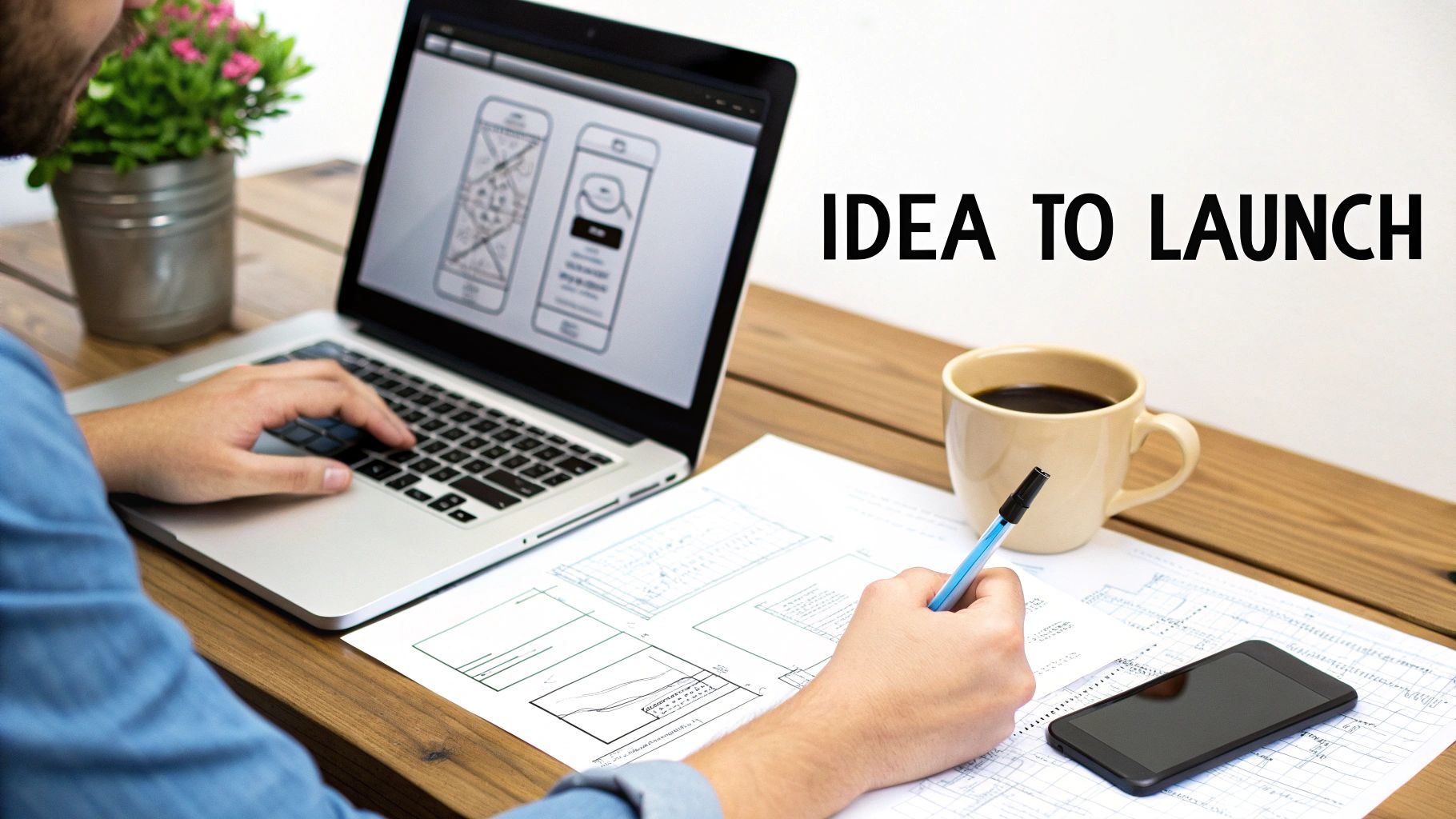
That flash of inspiration is fantastic, but let's be real: turning it into a business is more than just a coding challenge. It's a strategic mission. This guide is your playbook, whether you're an entrepreneur, an indie dev, or a founder who's never written a line of code. It's all about making the right moves from day one.
The path from a cool concept to a chart-topping app is littered with make-or-break decisions. A lot of startups don't fail because the idea was bad; they fail because of bad execution. They burn cash building features nobody asked for, run out of money, or simply get lapped by the competition. We’re here to help you sidestep those classic mistakes.
We'll walk through the whole thing, kicking off with the most critical step: making sure your idea solves a real problem for real people. From there, we’ll dive into the gospel of the Minimum Viable Product (MVP)—the single smartest way to launch fast and learn from what your users actually do, not what they say they'll do. A tight MVP keeps you focused on what truly matters.
This guide will also pull back the curtain on the tech side of things, specifically for a startup environment. We'll get into:
Think of this guide as your roadmap. It’s a clear, step-by-step framework for navigating the wild world of app development, giving you the confidence to turn that napkin sketch into a thriving product, efficiently and with purpose.
So, you have an app idea. Before you write a single line of code, let's talk about the most important thing you'll do: validation. This is the step that separates the breakout successes from the 90% of apps that fail. Why do they fail? Usually, because they built something nobody actually wanted.
The goal isn't to fall in love with your idea. It's to fall in love with the problem you're solving for a specific group of people.
Think of it like an architect designing a skyscraper. They don’t just show up on day one and start pouring concrete. They create detailed blueprints, build scale models, and run countless simulations to test the structural integrity. Validation is your blueprint. It’s how you gather cold, hard evidence that your assumptions about a customer's problem are right before you sink a ton of time and money into building.
The single best way to validate an idea is to get out of your own head and talk to your target audience. Your mission isn't to pitch them your brilliant solution. It's to listen. You need to understand their world, their frustrations, and how they get things done right now. This is where you dig for the real pain points.
Come prepared with a few open-ended questions that encourage stories, not just "yes" or "no" answers.
Listen for genuine emotion—annoyance, frustration, maybe even excitement. Those emotional spikes are flashing neon signs that you've hit on a problem worth solving. Document every conversation and look for themes that pop up again and again. Our own guide offers more structured techniques on how to validate your startup idea.
Next, put on your detective hat and see who's already in the space. Don't get discouraged if you find competitors; that’s usually a good sign that a market exists. Your job is to find the gap they aren't filling.
Sign up for their apps. Use them. Then, go straight to the app store reviews and read the 1-star and 5-star comments. What do users absolutely love? More importantly, what are they constantly complaining about? Those complaints are pure gold. They're your roadmap to building something better. Your unique angle could be a missing feature, a simpler user experience, or a different pricing model.
By deeply understanding your potential users' unmet needs and the shortcomings of existing solutions, you transform your idea from a simple concept into a data-backed plan ready for development. This foundational work is non-negotiable for any startup aiming to build a successful mobile app.
The opportunity today is massive. Back in 2010, there were just 2.5 million professional developers in the world. By 2025, that number is expected to hit 35 million. With smartphone subscriptions approaching 7.3 billion, the runway for new apps is longer than ever. You can dig into more of these mobile app development statistics on raascloud.io.
So, your idea has legs. Great! Now comes the part where so many startups stumble: the overwhelming urge to build everything at once. It's a classic trap, born from excitement and a desire to impress.
But the smart move, the one that separates successful founders from the ones who burn out, is to embrace the Minimum Viable Product (MVP).
Let's clear something up. An MVP isn't just a buggy, stripped-down version of your app. It’s the simplest, most focused version of your product that solves one core problem, and solves it well.
Think of it like this: you want to build a car. Instead of spending a year in a garage trying to perfect a V8 engine, a leather interior, and a killer sound system, you start by building a skateboard. A skateboard still solves the fundamental problem—getting from point A to point B. It validates the need for transportation. Once you prove people want to use it, you can start adding an engine, better wheels, and eventually, a full chassis.
This approach forces you to be brutally honest about the single most valuable feature your app offers. Everything else is just noise, at least for now. By launching a lean MVP, you get your product into the hands of real users faster, letting you learn from their actual behavior instead of just your own assumptions. The whole point is to maximize learning while minimizing risk.
The validation work you've already done—talking to potential users, spying on competitors, and testing interest—directly informs what that one core problem is.
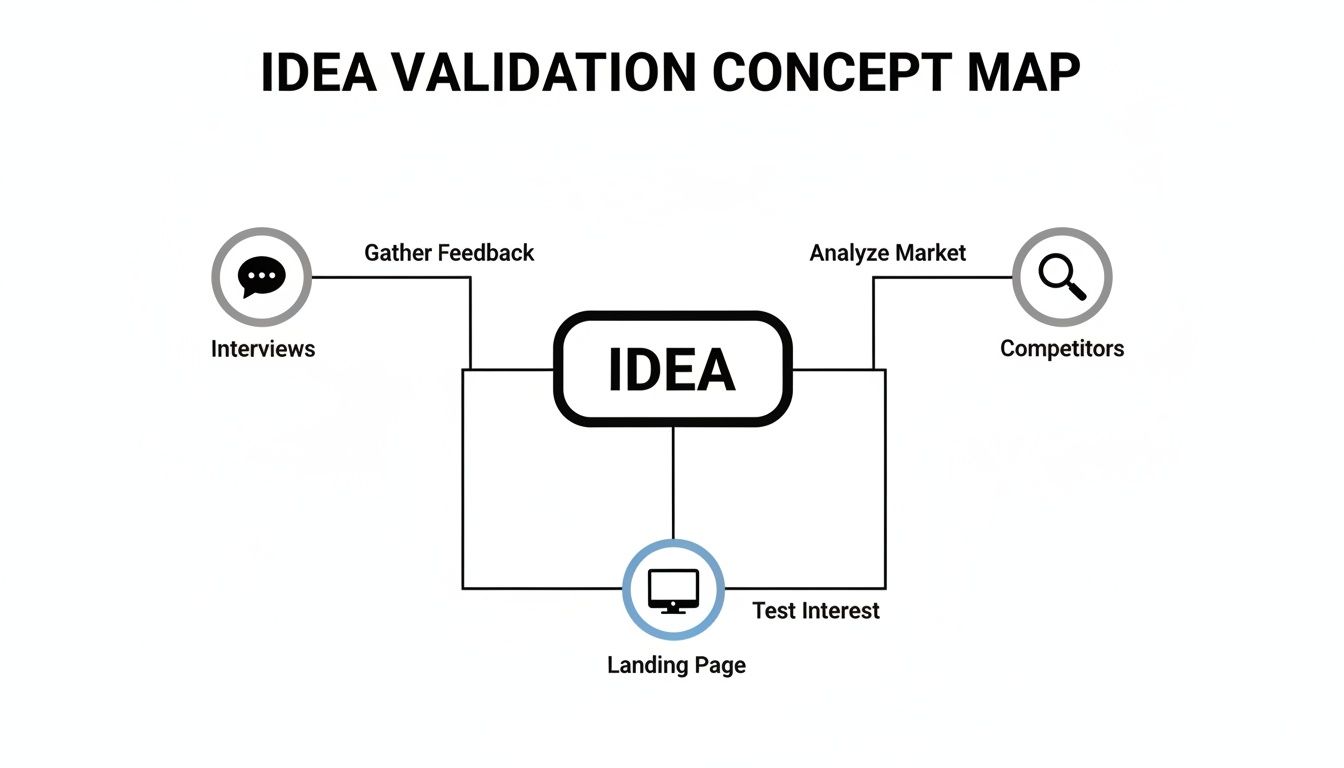
This process isn't just a box to check; it’s your treasure map. It points you directly to the X that marks the spot for your MVP's core feature.
Before we dive into the tech, it's crucial to understand the strategic trade-offs you're making by choosing the MVP path.
This table breaks down the core differences between launching lean and going all-in from the start. For a startup, the choice is almost always clear.
| Factor | MVP Approach (Recommended for Startups) | Full-Featured Approach |
|---|---|---|
| Goal | Validate a core assumption and learn quickly. | Launch a complete, polished product. |
| Speed | Fast. Weeks or a few months to market. | Slow. Many months, often over a year. |
| Cost | Low initial investment, focused on core features. | High upfront cost for all features. |
| Risk | Low. Minimizes financial loss if the idea fails. | High. "Betting the farm" on unproven assumptions. |
| User Feedback | Gathered early and often to guide development. | Delayed until after a massive investment. |
| Flexibility | High. Easy to pivot based on real data. | Low. Hard to change direction after launch. |
As you can see, the MVP isn't about building less; it's about building smarter. It's a strategy designed to find product-market fit before you run out of cash.
Building an MVP quickly demands a tech stack that’s all about speed and efficiency. This is where many startups make their first costly mistake: building two separate, native apps for iOS and Android right out of the gate. Don't do it.
A cross-platform framework is the only logical choice here, and React Native is king. It lets your team write code once in JavaScript and deploy it as a truly native app on both platforms. This isn't just about cutting your development time and cost in half—it's also about a future where you only have to maintain one codebase, not two.
To really put things in overdrive, we pair React Native with two other powerful tools:
This trio—React Native, Expo, and TypeScript—is the modern gold standard for any startup that needs to move fast without breaking things.
Even with the perfect tech stack, building common features from scratch is a massive waste of time. Every single app needs a login screen, user profiles, settings pages, and navigation menus. These are solved problems.
This is where pre-built UI kits and app templates become a founder's secret weapon. A marketplace like gluestack market offers production-ready templates for just about any app you can imagine—from fitness and finance to dating and streaming.
By starting with a professionally designed and coded template, you're not cutting corners; you're taking a massive shortcut. You can skip weeks, or even months, of foundational work and let your team focus on building the unique, innovative features that actually set you apart.
Imagine having 80% of your user interface done on day one. These templates aren't just pretty pictures. They are fully functional, accessible, and built with the same modern stack (React Native, Expo, TypeScript) we just talked about. You get the complete source code, giving you total freedom to customize while starting from a solid, professional foundation. It's the smartest way to allocate your capital and get to launch faster.

For a startup, time is the one resource you can never get back. Every hour your team spends coding a generic login screen or a standard settings page is an hour stolen from the unique, killer features that will actually make your app special. The smartest founders I know don't build everything from scratch. They build smarter by standing on the shoulders of giants.
This is where pre-built solutions completely change the game.
Think of it this way: instead of firing up the kiln to make every single brick for your new house, what if you could start with high-quality, pre-fabricated walls, windows, and plumbing? Your job instantly shifts from manual labor to architecture. You get to focus your energy on the floor plan, the interior design, and all the custom touches that make a house a home—the parts your users will actually see and fall in love with.
Pre-built solutions, especially from dedicated marketplaces, give you a massive head start. These aren't just static design mockups; they are fully coded, functional, and production-ready components that can form the entire skeleton of your application.
Let's say you're building a new meditation app. A good template could have you up to 80% of the way there on day one. That’s not an exaggeration. It means you instantly get core screens and logic for things like:
This approach absolutely slashes the time it takes to get from a great idea to a tangible MVP. We're talking about getting real user feedback in weeks, not months. The cost savings are just as dramatic, cutting out hundreds of hours of painstaking design and development work.
Be warned, not all templates are created equal. For a startup, a high-quality kit is an investment in your future stability and ability to scale. It’s got to be more than just a pretty face; you need a solid foundation built on modern best practices.
A top-tier template from a provider like gluestack market, for instance, is built with a professional, real-world tech stack. This ensures your app isn't just quick to launch, but also reliable, performant, and easy for your team to maintain and build upon.
The key insight here is that you can often find a starting point that’s already tailored to your specific industry, saving you from building standard features from a completely blank slate.
When you're shopping around, make sure any kit you consider checks these boxes:
By picking a robust template, you are actively de-risking your technical development. You’re adopting a codebase that has already been tested, structured for performance, and vetted by other developers. This frees up your team’s limited resources to focus on innovation rather than reinventing the wheel. You can explore a variety of these powerful mobile app templates to see just how much of a head start they can provide.
Alright, let's get down to the two questions every founder has etched into their brain: "How much will this cost?" and "How long is this going to take?"
The answer isn't a simple number you can just plug into a spreadsheet. It’s a spectrum. But by breaking down the moving parts, you can build a realistic budget and roadmap for your app.
When you're crunching the numbers, you have to think beyond just the code. There's a whole ecosystem around your app that comes with a price tag. The good news? Modern tools have brought the cost of entry way, way down.
For startups, time is money. Luckily, the explosion of templates, low-code tools, and a massive developer community has made getting started more affordable than ever. You’ve got some unavoidable fixed costs, like Apple’s $99/year developer fee and Google’s $25 one-time fee for the Play Store. Tack on another $150 or so annually for essentials like a domain, hosting, Firebase for analytics, Sentry for bug tracking, and RevenueCat for in-app payments.
Beyond those basics, your biggest line item will be talent. Developer rates are all over the map depending on where they are and how experienced they are, but here’s a ballpark for building your MVP:
This is where your strategy makes a world of difference. Building two separate, native apps for iOS and Android from scratch? That's the most expensive path you can take. A cross-platform approach with React Native already slashes that cost.
But the real game-changer is starting with a template. To get a feel for how these different factors stack up, you can dig into a more detailed React Native app development cost breakdown.
When you can buy a production-ready template from a marketplace like gluestack market for just a few hundred bucks, the entire financial equation changes. You’re not just saving a bit of cash; you're skipping thousands of dollars in foundational design and coding. That's capital you can now pour into marketing, user acquisition, or building that one killer feature that sets you apart.
As you plan your budget, it's also smart to explore the different startup funding sources out there to cover these initial costs.
A template isn't just about saving money upfront; it's about accelerating your path to revenue. By getting to market faster, you start learning from real users sooner, which is the most valuable asset a startup has.
And that speed has a direct, massive impact on your timeline.
The difference in speed is just staggering.
When you build from a blank canvas, you're signing up for the whole nine yards: wireframing, UI/UX design, front-end coding for every single screen, building out the back-end logic, and then mountains of testing. All of this has to happen before you have anything that even resembles a working app.
This isn't just a minor improvement; it's a massive competitive advantage. It lets you iterate, learn, and find product-market fit while your competitors are still stuck building their login screens.
So you’ve validated your idea, defined your MVP, and built a slick, efficient app. It’s tempting to think the launch is the finish line, but really, it’s just the starting gun. All that work just gets you to the beginning of the race.
A successful launch isn’t about just flipping a switch and hoping for the best. You need a deliberate, strategic approach to make sure your app gets in front of the right people from day one.
This whole process kicks off with App Store Optimization (ASO), which is basically SEO for the app stores. Think of the Apple App Store and Google Play Store as massive search engines. Your app’s title, description, and keywords are the clues that tell the store's algorithm what your app is all about and who it’s for. A well-optimized listing can be the difference between getting discovered and being buried on page twenty.
And don't sleep on your promotional materials. Your app icon is the first thing anyone sees—it has to be memorable and look professional. Your screenshots aren't just pictures; they're a visual sales pitch. Use them to tell a story, show off your app's killer features, and highlight the main problem you solve in a way that's dead simple to understand.
To give your app the best shot at getting noticed, you need a pre-launch checklist that nails all the ASO fundamentals. This isn't a set-it-and-forget-it task; it’s something you’ll need to keep testing and tweaking over time.
Once your store presence is solid, your focus has to shift immediately from launching to learning. The real work of building a startup begins the moment your app goes live.
When users start trickling in, it’s so easy to get hooked on the wrong numbers. Total downloads might give you a nice ego boost, but it's a classic vanity metric. It tells you nothing about whether people are actually using your app or finding any value in it. A million downloads means jack squat if 99% of those users open the app once and never come back.
For a startup, success isn’t about the initial hype; it’s about building a sustainable business. That means focusing on actionable metrics that measure real user engagement and behavior. This is how you start making data-driven decisions for your product roadmap instead of just guessing what to build next.
Forget total downloads. The metrics that truly matter for a startup are the ones that measure engagement and retention. These are the numbers that tell you if you're building something people actually love, not just something they were curious enough to try once.
The opportunity here is massive. Startups are jumping into a market where users logged over 4.2 trillion hours in apps in 2024, averaging 4.6 hours daily. Apps have become the prime real estate for finding customers in a global market projected to hit USD 626.39 billion by 2030. You can dig into more of these mobile app statistics at CMarix.
To build this cycle of constant improvement, you need to track a handful of key performance indicators (KPIs). The good news is that tools like Firebase Analytics make this data super accessible right out of the box.
By keeping a close eye on these KPIs, you create a feedback loop. You’ll see which features are driving engagement, where users are dropping off, and what you can do to make the experience better. This is how you build sustainable, user-focused growth in the cutthroat world of mobile app development for startups.
Of course. Here is the rewritten section, crafted to sound like an experienced human expert and match the provided examples.
As you dive into the world of app development, a handful of questions pop up over and over again. They're the practical, rubber-meets-the-road kind of concerns every founder has. Let's cut through the noise and get you some straight answers.
This is the big one, isn't it? The cost of a first-version app can swing wildly. You might hear numbers from $5,000 for a bare-bones prototype all the way past $100,000 for something complex and custom-built from scratch. But for a lean startup, that huge range isn't the whole story.
A much more realistic budget for a well-defined Minimum Viable Product (MVP) lands in the $10,000 - $30,000 range. This is achievable by making smart choices—using a cross-platform framework like React Native and starting with a production-ready UI kit to avoid reinventing the wheel.
That budget gets you a focused app that solves a core problem for your first users. It’s the most efficient way to launch, get real-world feedback, and prove your concept without burning through a mountain of cash.
Honestly, this question is a bit of a relic. Back in the day, this was a gut-wrenching decision that forced you to ignore half of your potential market. Not anymore. For almost every startup today, the answer is: build for both from day one.
Modern frameworks like React Native let you build for both iOS and Android from a single codebase. This isn't just a small efficiency gain; it's a game-changer. It’s the most time- and cost-effective approach, giving you access to the entire mobile market right out of the gate.
Unless you have a very specific, data-driven reason to focus on one platform—like your app relies on hardware only found on an iPhone—going cross-platform is the default best choice. You get to test your idea with everyone, which is exactly what you need in the early days.
While a great technical co-founder is worth their weight in gold, they are absolutely not a prerequisite for getting started. The idea that you must have a coder on the founding team is outdated. The tools and talent available today have completely changed the game for non-technical founders.
You've got a few solid paths forward:
The most critical step happens before a single line of code is written: validating your idea. A non-technical founder who has done the hard work of proving their concept is in a fantastic position to lead a project to success.
Stop reinventing the wheel and start building. gluestack market offers a huge library of production-ready React Native templates that give you an unbeatable head start on your mobile app. Find your perfect template and launch your MVP in weeks, not months.

Feb 23, 2026
4 min read
Discover powerful mobile app monetization strategies to boost your revenue. Our guide covers IAPs, ads, and subscriptions for React Native apps and beyond.

Feb 22, 2026
4 min read
A clear guide to app development cost estimation. Learn what drives costs, see budget examples, and discover strategies to build your app for less.

Feb 21, 2026
4 min read
Discover how to promote mobile application effectively with proven ASO, paid campaigns, and retention strategies.

Feb 15, 2026
4 min read
Discover how to create a prototype of a website with a practical, step-by-step guide. Explore tools, testing methods, and tips to bring your idea to life.

Feb 14, 2026
4 min read
Confused about mockups vs wireframes? Learn the key differences, when to use each, and how to streamline your React Native app development workflow.

Feb 13, 2026
4 min read
Discover how mobile apps templates accelerate development. Learn to choose, customize, and deploy high-quality React Native templates for your next project.

Feb 12, 2026
4 min read
Explore mobile application interface design with practical tips, core principles, and platform-aware workflows to craft apps users love.

Feb 10, 2026
4 min read
Learn mobile first design principles to craft fast, accessible apps that delight users. Practical tips, examples, and testing strategies.

Feb 08, 2026
4 min read
Explore the progressive web app vs native debate with our in-depth guide. We compare performance, cost, and UX to help you make the right strategic choice.

Feb 07, 2026
4 min read
Discover how React Native templates can accelerate your app development. This guide explores choosing, customizing, and deploying templates for faster launches.

Feb 05, 2026
4 min read
Discover the key differences between expo vs react native, including workflow, builds, and performance to help you pick the right path for your app.

Feb 03, 2026
4 min read
Master image with text overlay in React Native with responsive, accessible patterns. Learn expo setup, NativeWind styling, and gluestack-ui examples.

Feb 03, 2026
4 min read
Discover cross platform app development with proven strategies to build faster for iOS, Android, and the web using a single, unified codebase.

Feb 01, 2026
4 min read
Learn how to make an app for my business quickly with template-based steps from planning to launch, plus tips to scale and optimize.

Jan 31, 2026
4 min read
Ready to build an app? This guide shares practical strategies for validating your idea, choosing a tech stack, and navigating the App Store launch.

Jan 30, 2026
4 min read
Master responsive design for mobile apps with this guide on fluid layouts, breakpoints, and React Native. Build UIs that adapt perfectly to any screen.

Jan 25, 2026
4 min read
Learn how to design an Android app that stands out. This guide covers UX research, wireframing, Material Design, and the developer handoff process.

Jan 24, 2026
4 min read
Explore ui design web essentials: a complete guide to principles, responsive patterns, and workflows for intuitive, engaging web interfaces.

Jan 23, 2026
4 min read
Discover 10 essential mobile app design best practices for building exceptional cross-platform apps. Actionable tips for UI, UX, navigation, and performance.

Jan 21, 2026
4 min read
Discover how to debug React Native apps effectively. This guide covers Flipper, React DevTools, and native code troubleshooting for faster development cycles.

Jan 20, 2026
4 min read
Learn how to create app for your business with a practical, modern approach. Plan, customize, and launch with proven steps.

Jan 18, 2026
4 min read
Discover how to choose the right React website template to accelerate your project. Our guide covers everything from quality checklists to deployment.

Jan 17, 2026
4 min read
Discover how to choose, customize, and deploy a React Native app template. This guide provides practical steps for launching production-ready apps faster.

Jan 16, 2026
4 min read
Discover how mobile application templates accelerate development. This guide covers how to choose, customize, and launch your app with the right foundation.

Jan 13, 2026
4 min read
Start your journey in mobile app development for beginners. This guide breaks down how to build your first cross-platform app with React Native and Expo.

Jan 12, 2026
4 min read
Explore the best react native ui libraries and compare features, performance, and ease of use to pick the right toolkit for your app.

Jan 11, 2026
4 min read
Launch your own ride-hailing service with our guide to building a production-ready Uber app clone. Learn MVP strategy, tech stacks, and backend integration.

Jan 10, 2026
4 min read
Master modern cash app design with this guide. Learn the UI/UX, security, and React Native strategies needed to build a fintech app that users trust and love.

Jan 09, 2026
4 min read
Learn how to build a personal finance dashboard with React Native. A practical guide for developers on UI design, data architecture, and production readiness.

Jan 08, 2026
4 min read
A practical guide to building a cross-platform event check in app with React Native. Learn to implement QR scanning, offline sync, and deployment.

Jan 07, 2026
4 min read
Master linear gradient React Native components with our complete guide. Learn practical techniques for Expo, bare RN, and NativeWind to build stunning UIs.

Jan 06, 2026
4 min read
Learn how to change application name in your React Native & Expo projects. This guide covers display names, package IDs, and app store listings.

Jan 05, 2026
4 min read
Discover how to monetize mobile apps with our founder's guide. Learn proven React Native strategies for ads, IAPs, and subscriptions to maximize your revenue.

Jan 04, 2026
4 min read
A practical guide on how to create a website app with a single codebase. Learn to build for web, iOS, and Android using React Native, Expo, and TypeScript.

Jan 03, 2026
4 min read
Learn how to create an app for your business with this definitive guide. Discover practical strategies for validation, development, and launch that work.

Jan 02, 2026
4 min read
Learn how to create a wireframe for a website with this practical guide. Move from initial sketches to developer-ready designs that get built right.

Jan 01, 2026
4 min read
Deciding on progressive web application vs native? This guide offers a deep comparison of performance, cost, UX, and use cases to help you choose wisely.

Dec 31, 2025
4 min read
Discover 10 mobile app security best practices for React Native. Learn to secure data, APIs, and code with actionable tips and examples for 2025.

Dec 30, 2025
4 min read
Unlock the real React Native app development cost. Our guide breaks down pricing by feature, team, and complexity to help you budget with confidence.

Dec 29, 2025
4 min read
A practical guide to master your React Native debug workflow. Learn to use Flipper, React DevTools, and Hermes to solve bugs in Expo and bare RN apps.

Dec 28, 2025
4 min read
The ultimate React Native tutorial for beginners. Learn to build beautiful cross-platform apps using a modern stack like Expo, TypeScript, and gluestack-ui.

Dec 27, 2025
4 min read
A practical guide on how to build a mobile app. Learn to go from concept to a market-ready app using templates, React Native, and proven development strategies.

Dec 26, 2025
4 min read
Discover interface design for websites with actionable tips on layout, responsiveness, and usability to boost conversions.

Dec 25, 2025
4 min read
Discover designs for apps that blend minimal aesthetics with personalization, and learn to build user-centric interfaces that boost engagement.

Dec 24, 2025
4 min read
Learn graphical interface design - essentials for mastering core principles, modern workflows, and cross-platform strategies to build intuitive, engaging UIs.

Dec 23, 2025
4 min read
Discover how high fi wireframes bridge the gap between ideas and code. Learn a practical workflow for creating, testing, and handing off effective UI designs.

Dec 22, 2025
4 min read
Discover mobile app interface design with practical principles, accessibility, and workflows that boost user engagement.

Dec 21, 2025
4 min read
Explore the top 10 UI UX design trends for 2025. Get expert insights and practical React Native tips to build next-gen cross-platform apps that stand out.

Dec 20, 2025
4 min read
Discover how mobile app templates accelerate development from idea to launch. Learn to select, customize, and deploy templates for a faster time to market.

Dec 18, 2025
4 min read
Explore the best react native ui libraries to accelerate mobile development with performance, theming, and accessibility. Expert tips inside.

Dec 16, 2025
4 min read
Master React Native PDF handling. Learn to generate, view, and share PDFs with practical code examples, library comparisons, and performance tips.

Dec 15, 2025
4 min read
A practical guide to choosing the right React Native component library. Learn how to evaluate options, avoid common pitfalls, and build apps faster.

Dec 14, 2025
4 min read
Find the perfect React Native UI library for your project. This guide compares top libraries, selection criteria, and customization strategies.

Dec 13, 2025
4 min read
Learn how to change app name in React Native and Expo. Our guide covers display names, bundle IDs, and store listings for iOS and Android projects.

Dec 12, 2025
4 min read
Discover the best React Native component library for your next project. We compare top libraries on performance, customization, and real-world use cases.

Dec 11, 2025
4 min read
Discover how to choose the right React Native UI kit. This guide covers top kits, selection criteria, and customization to accelerate your app development.

Dec 10, 2025
4 min read
Explore our in-depth guide to find the best React Native UI library. We compare top contenders to help you choose the right fit for your project.

Dec 09, 2025
4 min read
Discover a practical approach to building apps with React Native. This guide covers setup, UI, state management, and testing to help you ship great apps.

Dec 08, 2025
4 min read
android login with facebook: Learn to set up the Facebook SDK, manage tokens, and implement secure authentication across native Android, cross-platform apps.

Dec 07, 2025
4 min read
Master the alert in React Native. Learn to handle platform differences, build custom modals, and apply best practices for a seamless user experience.

Dec 06, 2025
4 min read
keyboardavoidingview react native: Master keyboard handling with KeyboardAvoidingView across iOS, Android, Expo, and TypeScript.

Dec 05, 2025
4 min read
A practical guide to implementing a React Native PDF viewer. Learn to compare libraries, handle native setup, and troubleshoot common issues with real code.

Dec 04, 2025
4 min read
how to validate startup idea: learn proven methods like customer interviews, MVPs, and metrics to confirm market fit.

Dec 03, 2025
4 min read
how to make app like uber: Learn core features, tech stack, development steps, testing, and launch tips.

Dec 02, 2025
4 min read
Build a rock-solid React Native setup. This guide covers Expo vs. Bare workflows, TypeScript, pnpm monorepos, NativeWind, and deployment strategies.

Dec 01, 2025
4 min read
A practical guide to Stripe React Native integration. Learn to set up your server, build payment UIs, handle webhooks, and launch secure mobile payments.

Nov 30, 2025
4 min read
Learn how to master push notifications in React Native. This guide covers setup, best practices, and advanced techniques for engaging your users.

Nov 29, 2025
4 min read
Build powerful location-based apps with our practical guide to react native with google maps. Get setup guides, pro tips, and best practices for iOS & Android.

Nov 28, 2025
4 min read
Explore deep linking react native with a practical guide to configuring URL schemes, universal links, navigation, and testing for Expo and bare apps.

Nov 28, 2025
4 min read
A practical guide to building a scalable React Native design system. Learn to implement tokens, theming, and tools like NativeWind and gluestack-ui.

Nov 26, 2025
4 min read
Learn why react native expo templates speed up your projects with ready-made patterns and practical tips.

Nov 25, 2025
4 min read
Discover how to improve developer productivity with actionable strategies for workflow, tooling, and culture. A practical guide for software engineering teams.

Nov 24, 2025
4 min read
Discover the best cross platform app development tools. Compare top frameworks like Flutter and React Native to build and ship apps faster.

Nov 23, 2025
4 min read
This Expo React Native tutorial provides a hands-on guide to building cross-platform apps. Learn setup, styling with NativeWind, navigation, and deployment.

Nov 22, 2025
4 min read
Build beautiful UIs faster with this guide to Tailwind CSS React Native. Learn setup, styling, and advanced techniques with NativeWind for mobile apps.

Nov 21, 2025
4 min read
Explore our curated list of 7 top-tier React Native app examples. Discover production-ready templates and resources to build your next app faster.

Mar 19, 2025
4 min read
gluestack market offers React Native UI templates to accelerate development. Get customizable, production-ready React Native app templates and Ui kit, some free. Build faster & smarter today!


