So you have an idea for an app. Great! But turning that idea into a real, successful business tool is a journey. It’s not just about coding; it’s about a smart, phased approach: validating your concept, building a lean Minimum Viable Product (MVP) to test the waters, picking the right tech, and nailing the launch. This process is your roadmap to building something people actually want, without burning through your budget.
Not too long ago, building a custom app felt like something only massive corporations with deep pockets could pull off. That’s not the world we live in anymore. For startups and small businesses, a mobile app is a direct line to your customers—a way to drive sales, build loyalty, and strengthen your brand.
But diving in without a plan is a classic, costly mistake. You wouldn’t build a house without a blueprint, right? The same logic applies here. Your blueprint ensures every decision is intentional and gets you closer to a product that clicks with users.
The whole thing breaks down into three core phases: lay the groundwork with a solid idea, build a functional MVP to see if you're on the right track, and then, finally, get it out into the world.
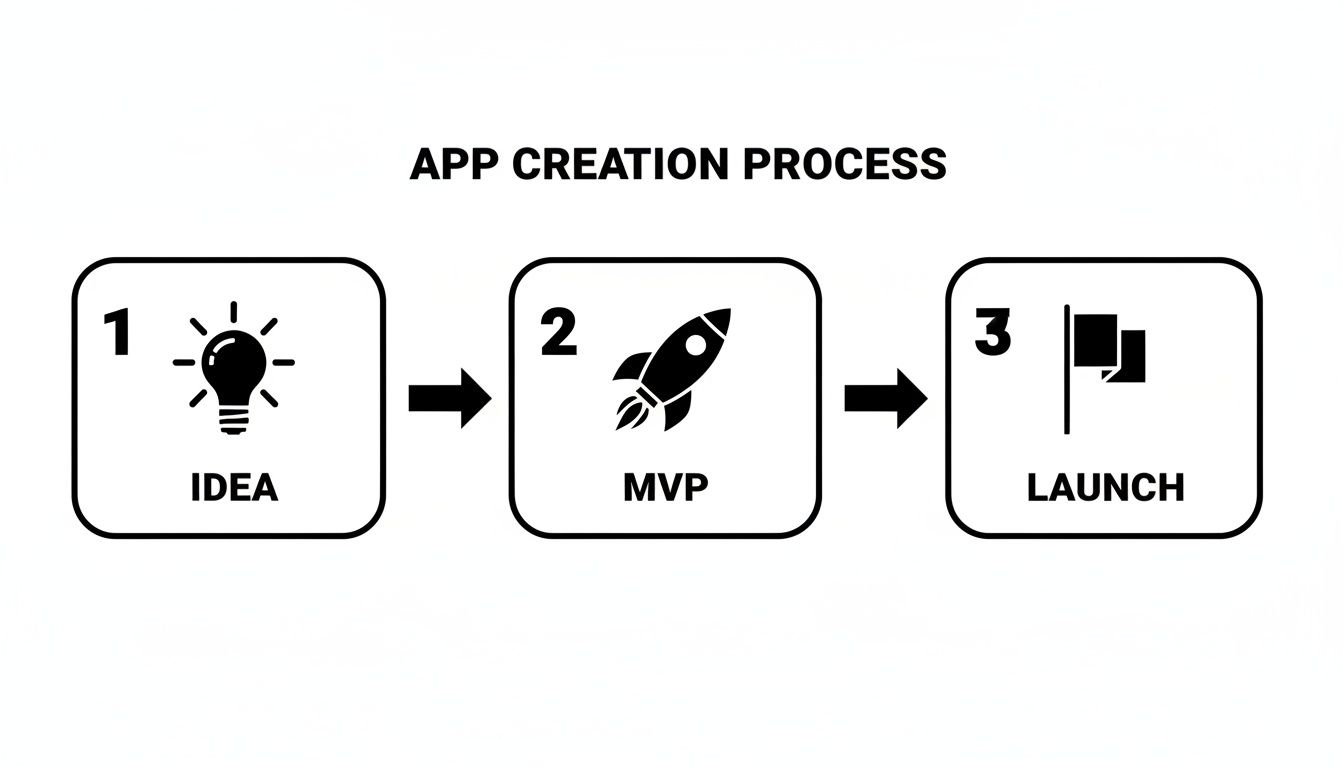
This isn't about building the entire dream app in one go. It’s about smart, progressive steps. You start with a simple concept, learn from real users, and build from there.
Honestly, there's never been a better time to jump in. The global mobile app market is absolutely exploding. Valued somewhere between $750 billion and $800 billion in 2025, it’s on track to blow past $1.1 trillion by 2034. That’s not just noise; it’s a clear signal of massive, sustained demand for mobile-first solutions in every industry you can think of.
This translates to real money. Global app revenue is projected to hit a staggering $673.7 billion by 2027. Grabbing even a tiny slice of that pie could be a game-changer for your business.
Here’s the good news: you don't have to start from square one. Modern development has been supercharged with tools that give you a massive head start.
Think of pre-built, production-ready templates, like the ones on the gluestack market. They handle all the common, tedious stuff—the basic plumbing of an app—so you can pour your time, energy, and budget into the unique features that solve your customers' problems. If you're trying to get a handle on what this all costs, our guide on React Native app development cost is a great place to start.
Before you go all-in, it helps to understand the different ways you can get this done. Each path has its own trade-offs in terms of time, cost, and control.
| Development Path | Best For | Typical Timeline | Cost Factor |
|---|---|---|---|
| DIY From Scratch | Founders with deep technical skills and lots of time. | 12-18+ months | High (Time is money!) |
| Hire an Agency | Businesses with a large budget and complex needs. | 6-12 months | Very High |
| Hire Freelancers | Teams needing specific skills for a well-defined project. | 4-9 months | Medium to High |
| Use a Template | Startups and SMBs wanting to launch a quality MVP fast. | 1-3 months | Low |
Choosing the right path really depends on your resources and how fast you need to get to market. For most early-stage founders I talk to, starting with a high-quality template offers the best balance of speed, cost, and quality, letting them validate their idea without breaking the bank.
To really wrap your head around the entire A-to-Z process, from that first spark of an idea to post-launch updates, it's worth getting familiar with the complete mobile app development lifecycle. Think of it as the detailed instruction manual for your app's blueprint.
Jumping straight into development is the single fastest way to burn through your time and money. Before a single line of code gets written, you absolutely need to prove that your app solves a real, painful problem for a specific group of people. This isn't about hunches; it's about smart investigation.
The goal is to shift your mindset from "I think this is a great idea" to "I know people are desperate for this solution." Think of this validation phase as your insurance policy against building something nobody wants to use. The good news? You don't need a huge budget to get started.
Forget about paying for expensive market research firms. Your first move is to become a detective and gather intel using methods that are low-cost but deliver high-impact results. You need to understand the current landscape and pinpoint exactly where your idea fits in.
Start by digging into forums like Reddit or niche online communities where your potential customers are already gathered. What are they complaining about? What weird workarounds have they cobbled together to solve their problems? These conversations are a goldmine of raw, unfiltered user needs.
Next, you have to get a crystal-clear picture of the competition.
The point here isn’t to copy what everyone else is doing. It’s to find your unique angle. What can you do that's better, simpler, or more focused on a specific audience? Nailing this answer is the foundation of a killer value proposition.
Once you have a feel for the market, it's time to get hyper-specific about who you're building this for. Creating a user persona is the most practical way to do this. A persona is just a fictional character that represents your ideal customer, but it's built on the real data and research you just gathered.
Give them a name, a job, and a backstory. For instance, if you're building a local delivery app for small bakeries, your persona could be "Baker Sarah."
Suddenly, a vague "target market" becomes a real person. This exercise makes every future decision incredibly focused. When you find yourself asking, "Would Sarah actually use this feature?" you’re on the right track to building something genuinely useful.
With a validated problem and a clear user in mind, it's time to talk about your Minimum Viable Product (MVP). An MVP isn't a buggy, half-baked version of your final app. It's the simplest, most stripped-down version that solves the #1 biggest problem for your user—and nothing more.
Think of it like a science experiment. Your MVP is designed to test one core hypothesis with the absolute least amount of effort. For Baker Sarah, our hypothesis is this: "Small bakery owners will use a simple, low-cost app to manage their own local deliveries."
To build her MVP, you'd have to be ruthless with prioritization.
The goal is to launch fast, get the app into the hands of real people like Sarah, and learn from how they actually use it. That real-world feedback is more valuable than any brainstorming session you could ever have. For a deeper dive into this crucial step, check out our complete guide on how to validate a startup idea before you build. This disciplined approach is fundamental to creating an app for your business that succeeds.
The tech you choose is the bedrock of your app. It determines how your app performs, how it scales, and most importantly, how quickly you can get your brilliant idea into the hands of real users. Getting this right isn't about chasing the "best" new thing; it's about picking the smartest, most direct path to launch.
For most founders, the goal is simple: reach the widest audience possible without doubling the work and cost. This brings up the age-old debate of native versus cross-platform development. Going native means building two entirely separate apps—one for iOS, one for Android. It’s expensive, slow, and a huge drain on resources.
That’s exactly why so many startups and even established companies are all-in on cross-platform solutions.
Frameworks like React Native have completely flipped the script. It lets your team write code once and deploy it on both iOS and Android. The payoff is immediate and massive.
This gives you the agility of web development with the snappy, fluid performance users expect from a native app. If you're weighing your options, it's worth exploring other powerful cross-platform app development tools to see what fits your project best.
But here’s the thing: even with a powerhouse like React Native, building every screen, button, and menu from a blank canvas is a painful, repetitive grind. There's an even faster way.
The single biggest shortcut to launching your app is to stop building what's already been built. This is where production-ready templates from places like gluestack market become your secret weapon.
Let’s say you’re building a wellness app. Instead of burning two months coding the user sign-up flow, the settings page, the subscription logic, and the content library, you could start with a template where all that is already done.
These aren't just pretty UI kits. They are fully functional, production-grade applications built on a solid foundation of Expo and TypeScript. You get a professional, stable codebase from day one. This lets your team skip the grunt work and pour their energy into what makes your app unique—your custom meditation timer, your proprietary workout algorithm, or that one killer feature nobody else has.
Think of it this way: a template gets you 80% of the way to launch on day one. Your job is to build the final 20% that makes your app special and valuable to your users. This strategy can easily shave 3-6 months off your development timeline.
A slick-looking app is just the start. The real magic happens behind the scenes, in the backend. This is the invisible engine that powers everything from user logins and data storage to delivering that personalized "aha!" moment for your customers. It's what transforms a static interface into a smart, dynamic business tool.
Frankly, building this infrastructure from the ground up is a massive undertaking. It demands deep expertise in server management, database architecture, and security—skills that are often outside the core focus of a startup founder or app developer. But here's the good news: you don't have to reinvent the wheel.
This is where Backend-as-a-Service (BaaS) platforms come into play. They've become the default choice for teams that need to ship fast. Think of a BaaS as a pre-built foundation for your app's backend. It handles all the gnarly, repetitive work, letting your team focus on building the features your users will actually see and love.
In the React Native world, two names pop up constantly: Firebase and Supabase. They tackle similar problems but come from different places.
With a BaaS, you can get secure user sign-ups, data storage, and file uploads running in days, not weeks.
The real win with BaaS is speed and focus. Instead of spending weeks configuring servers, you can build a secure, scalable backend in a matter of days and get back to what matters most—your app’s unique features.
A functional app is no longer enough. People expect intelligent, almost intuitive experiences that feel like they were made just for them. This is where artificial intelligence stops being a buzzword and becomes a real competitive edge. It’s no longer a luxury for big tech; it's a must-have.
The numbers don't lie. 63% of mobile app developers are already weaving AI into their projects, and 70% are using it specifically to make the user experience better. The market for AI in mobile apps is on track to hit a staggering $221.9 billion by 2034. If you want to see where the industry is heading, you can dig into more mobile app development statistics to see the trends taking shape.
This doesn't mean you need a PhD in machine learning. The trick is to connect your app to powerful, pre-trained AI models through APIs. For a small team, this is a total game-changer.
So, how does this look in the real world? Let’s get practical.
These are the kinds of smart features that create a "sticky" app—the kind people can't imagine living without. By combining a powerful BaaS with smart, targeted AI integrations, you can build an app that's not just functional, but genuinely intelligent.
You've built the backend, your UI is looking sharp thanks to the template, and the finish line is in sight. But hold on. This final stretch—testing, submitting to the app stores, and sorting out your licensing—is where so many promising apps stumble.
Getting this part right isn't just a box-ticking exercise. It's what separates a smooth, professional launch from a frustrating cycle of rejections and legal headaches. Don't rush it.
Before you let a single real user see your app, you need to do your absolute best to break it. A buggy first impression is a death sentence in the app world, and you rarely get a second chance. Good testing is a multi-stage process, moving from the tiny details of your code to the big picture of user experience.
This whole process is about making sure your app is stable, performs well under pressure, and actually feels good to use.
A critical piece of advice: don't just test for crashes. Test the entire feel of the app. Is it intuitive? Is it snappy? A user who gets confused is just as likely to hit "uninstall" as one who finds a bug.
Submitting to the Apple App Store and Google Play Store can feel like a final exam you didn’t study for. Both have their own rulebooks, and one wrong move can send you straight back to the drawing board. Knowing the common tripwires ahead of time is your best defense.
The big themes for both stores are user safety, privacy, and a quality experience. Your app description, screenshots, and privacy policy need to be completely transparent and accurate. For iOS apps, getting a handle on Apple’s specific rules is non-negotiable. If you need a deep dive, this fast-track guide to Apple App Store submission is an excellent resource to have bookmarked.
Here’s why most apps get rejected:
This is the part everyone wants to ignore, but it can sink your business if you get it wrong. When you use a template from a place like the gluestack market, you’re not just buying code; you’re buying a license to use that code. You absolutely have to understand the terms.
Get this wrong, and you could face legal action or be forced to pull your app from the stores entirely.
The most important distinction is almost always personal vs. commercial use. A personal license might be fine for a hobby project, but for an app that will make money or be used by a business, a commercial license is a must-have.
To make it simple, here's a quick breakdown of how licensing typically works for gluestack market templates.
| License Tier | Use Case | Number of Projects | Team Size | Key Feature |
|---|---|---|---|---|
| Personal | For non-commercial, personal projects only. | 1 | 1 | Learning and experimentation. |
| Commercial | For a single for-profit business app or client project. | 1 | Up to 5 | Right to monetize and distribute the app. |
| Extended | For multiple commercial projects or SaaS applications. | Unlimited | Up to 10 | Broader usage rights for agencies or startups. |
| Enterprise | For large-scale deployment within a major organization. | Unlimited | Unlimited | Full rights and dedicated support. |
Choosing the right license isn't a formality—it's what gives you the legal foundation to distribute, monetize, and grow your app. It’s one of the most important business decisions you’ll make during this process.
Alright, popping the champagne and hitting "publish" on the app stores feels like crossing the finish line, doesn't it? But really, you've just fired the starting pistol. What you do next is what separates an app that fizzles out from one that becomes a sustainable business.
From this moment on, your job shifts from building a product to building momentum.
Sustainable growth really boils down to three things: getting users, keeping them engaged, and constantly making the app better. The second your app goes live, the race to get noticed begins.
Your first—and often most powerful—marketing channel is the app store itself. App Store Optimization (ASO) is all about making your app more visible on the Apple App Store and Google Play Store so people can actually find it organically. Think of it as SEO, but for your app.
You have to get inside your customer's head. What words would they type into that search bar to solve the problem your app addresses? Your app's title, subtitle, and keyword fields are prime real estate for ASO. Don't waste them.
ASO isn't a "set it and forget it" task. You should constantly be testing different keywords, tweaking your icon, and swapping out screenshots to see what moves the needle. Tiny changes can lead to huge jumps in downloads.
The single fastest way to improve your app is to listen to the people using it every single day. You need to build a system that funnels all that user feedback directly into your development plans. Stop guessing what users want; let their actions and words guide you.
Set up multiple channels for them to talk to you. This means keeping a close eye on app store reviews, maybe using a simple in-app survey, and definitely digging into user behavior with tools like Amplitude or Mixpanel. Keep your eyes glued to metrics like Daily Active Users (DAU), how long people are staying, and which features they're actually using.
When you're building an app for your business, this data-driven approach is critical because it kills guesswork. It points a giant, flashing arrow at where users get stuck or what features they can't get enough of. This is how you prioritize updates that actually improve retention and drive real growth. Your users are literally showing you the path forward—you just have to learn how to listen.
When you're diving into building an app for your business, a few big questions always seem to surface first. It's totally normal. Let's tackle the heavy hitters—cost, timeline, and the skills you actually need—so you can plan your next steps with confidence.
Getting straight answers on these is key to setting the right expectations from day one.
This is the million-dollar question, sometimes literally.
If you go the traditional agency route and build a fully custom app from scratch, the numbers can be eye-watering. You’re easily looking at a range of $50,000 to over $500,000. That price tag balloons based on complexity, the number of features you want, and platform support. It’s a massive investment of time and money in design, coding, and management.
But there's a much smarter way to play the game now.
By starting with a production-ready template from a place like the gluestack market, you can slash those initial costs. The template itself might only be a few hundred bucks. Even after factoring in customization and backend work, you can get a solid MVP launched for well under $10,000-$20,000. It's a completely different league.
Patience is a virtue, especially with custom app development. Building from the ground up is a long haul—typically 6 to 12 months, and often longer. That timeline covers everything: strategy, UI/UX design, endless coding, testing, and deploying to both the App Store and Google Play.
This is where leveraging a React Native template becomes a massive strategic advantage.
Since the core UI, navigation, and foundational code are already done, your timeline shrinks dramatically. Depending on how complex your unique features are, you could be looking at launching a real, functional MVP in just 1 to 3 months.
This isn't just about saving time; it's a fundamental shift in how you launch. You get your product into the hands of real users faster, start collecting feedback, and begin iterating while a custom-built project would still be stuck in early development. It’s a huge competitive edge.
Not like you used to. While traditional development is definitely a coder's world, modern tools have seriously lowered the barrier to entry for founders.
Using a comprehensive solution, like a template from the gluestack market, puts you in the driver's seat. You’ll probably still want a developer to handle specific customizations or wire up the backend, but you’re not starting from a blank page. You're starting from a position of strength, making the whole project more manageable, predictable, and way more affordable.
Ready to build your app faster and smarter? Explore the production-ready React Native templates on the gluestack market and see how you can launch in a fraction of the time. Get your head start today at market.gluestack.io.

Feb 23, 2026

4 min read
Discover powerful mobile app monetization strategies to boost your revenue. Our guide covers IAPs, ads, and subscriptions for React Native apps and beyond.

Feb 22, 2026
4 min read
A clear guide to app development cost estimation. Learn what drives costs, see budget examples, and discover strategies to build your app for less.

Feb 21, 2026
4 min read
Discover how to promote mobile application effectively with proven ASO, paid campaigns, and retention strategies.

Feb 15, 2026
4 min read
Discover how to create a prototype of a website with a practical, step-by-step guide. Explore tools, testing methods, and tips to bring your idea to life.

Feb 14, 2026
4 min read
Confused about mockups vs wireframes? Learn the key differences, when to use each, and how to streamline your React Native app development workflow.

Feb 13, 2026
4 min read
Discover how mobile apps templates accelerate development. Learn to choose, customize, and deploy high-quality React Native templates for your next project.

Feb 12, 2026
4 min read
Explore mobile application interface design with practical tips, core principles, and platform-aware workflows to craft apps users love.

Feb 10, 2026
4 min read
Learn mobile first design principles to craft fast, accessible apps that delight users. Practical tips, examples, and testing strategies.

Feb 08, 2026
4 min read
Explore the progressive web app vs native debate with our in-depth guide. We compare performance, cost, and UX to help you make the right strategic choice.

Feb 07, 2026
4 min read
Discover how React Native templates can accelerate your app development. This guide explores choosing, customizing, and deploying templates for faster launches.

Feb 05, 2026
4 min read
Discover the key differences between expo vs react native, including workflow, builds, and performance to help you pick the right path for your app.

Feb 03, 2026
4 min read
Master image with text overlay in React Native with responsive, accessible patterns. Learn expo setup, NativeWind styling, and gluestack-ui examples.

Feb 03, 2026
4 min read
Discover cross platform app development with proven strategies to build faster for iOS, Android, and the web using a single, unified codebase.

Feb 01, 2026
4 min read
Learn how to make an app for my business quickly with template-based steps from planning to launch, plus tips to scale and optimize.

Jan 31, 2026
4 min read
Ready to build an app? This guide shares practical strategies for validating your idea, choosing a tech stack, and navigating the App Store launch.

Jan 30, 2026
4 min read
Master responsive design for mobile apps with this guide on fluid layouts, breakpoints, and React Native. Build UIs that adapt perfectly to any screen.

Jan 25, 2026
4 min read
Learn how to design an Android app that stands out. This guide covers UX research, wireframing, Material Design, and the developer handoff process.

Jan 24, 2026
4 min read
Explore ui design web essentials: a complete guide to principles, responsive patterns, and workflows for intuitive, engaging web interfaces.

Jan 23, 2026
4 min read
Discover 10 essential mobile app design best practices for building exceptional cross-platform apps. Actionable tips for UI, UX, navigation, and performance.

Jan 21, 2026
4 min read
Discover how to debug React Native apps effectively. This guide covers Flipper, React DevTools, and native code troubleshooting for faster development cycles.

Jan 20, 2026
4 min read
Learn how to create app for your business with a practical, modern approach. Plan, customize, and launch with proven steps.

Jan 19, 2026
4 min read
A complete guide to mobile app development for startups. Learn how to validate your idea, build an MVP, and launch a successful app faster and more affordably.

Jan 18, 2026
4 min read
Discover how to choose the right React website template to accelerate your project. Our guide covers everything from quality checklists to deployment.

Jan 17, 2026
4 min read
Discover how to choose, customize, and deploy a React Native app template. This guide provides practical steps for launching production-ready apps faster.

Jan 16, 2026
4 min read
Discover how mobile application templates accelerate development. This guide covers how to choose, customize, and launch your app with the right foundation.

Jan 13, 2026
4 min read
Start your journey in mobile app development for beginners. This guide breaks down how to build your first cross-platform app with React Native and Expo.

Jan 12, 2026
4 min read
Explore the best react native ui libraries and compare features, performance, and ease of use to pick the right toolkit for your app.

Jan 11, 2026
4 min read
Launch your own ride-hailing service with our guide to building a production-ready Uber app clone. Learn MVP strategy, tech stacks, and backend integration.

Jan 10, 2026
4 min read
Master modern cash app design with this guide. Learn the UI/UX, security, and React Native strategies needed to build a fintech app that users trust and love.

Jan 09, 2026
4 min read
Learn how to build a personal finance dashboard with React Native. A practical guide for developers on UI design, data architecture, and production readiness.

Jan 08, 2026
4 min read
A practical guide to building a cross-platform event check in app with React Native. Learn to implement QR scanning, offline sync, and deployment.

Jan 07, 2026
4 min read
Master linear gradient React Native components with our complete guide. Learn practical techniques for Expo, bare RN, and NativeWind to build stunning UIs.

Jan 06, 2026
4 min read
Learn how to change application name in your React Native & Expo projects. This guide covers display names, package IDs, and app store listings.

Jan 05, 2026
4 min read
Discover how to monetize mobile apps with our founder's guide. Learn proven React Native strategies for ads, IAPs, and subscriptions to maximize your revenue.

Jan 04, 2026
4 min read
A practical guide on how to create a website app with a single codebase. Learn to build for web, iOS, and Android using React Native, Expo, and TypeScript.

Jan 02, 2026
4 min read
Learn how to create a wireframe for a website with this practical guide. Move from initial sketches to developer-ready designs that get built right.

Jan 01, 2026
4 min read
Deciding on progressive web application vs native? This guide offers a deep comparison of performance, cost, UX, and use cases to help you choose wisely.

Dec 31, 2025
4 min read
Discover 10 mobile app security best practices for React Native. Learn to secure data, APIs, and code with actionable tips and examples for 2025.

Dec 30, 2025
4 min read
Unlock the real React Native app development cost. Our guide breaks down pricing by feature, team, and complexity to help you budget with confidence.

Dec 29, 2025
4 min read
A practical guide to master your React Native debug workflow. Learn to use Flipper, React DevTools, and Hermes to solve bugs in Expo and bare RN apps.

Dec 28, 2025
4 min read
The ultimate React Native tutorial for beginners. Learn to build beautiful cross-platform apps using a modern stack like Expo, TypeScript, and gluestack-ui.

Dec 27, 2025
4 min read
A practical guide on how to build a mobile app. Learn to go from concept to a market-ready app using templates, React Native, and proven development strategies.

Dec 26, 2025
4 min read
Discover interface design for websites with actionable tips on layout, responsiveness, and usability to boost conversions.

Dec 25, 2025
4 min read
Discover designs for apps that blend minimal aesthetics with personalization, and learn to build user-centric interfaces that boost engagement.

Dec 24, 2025
4 min read
Learn graphical interface design - essentials for mastering core principles, modern workflows, and cross-platform strategies to build intuitive, engaging UIs.

Dec 23, 2025
4 min read
Discover how high fi wireframes bridge the gap between ideas and code. Learn a practical workflow for creating, testing, and handing off effective UI designs.

Dec 22, 2025
4 min read
Discover mobile app interface design with practical principles, accessibility, and workflows that boost user engagement.

Dec 21, 2025
4 min read
Explore the top 10 UI UX design trends for 2025. Get expert insights and practical React Native tips to build next-gen cross-platform apps that stand out.

Dec 20, 2025
4 min read
Discover how mobile app templates accelerate development from idea to launch. Learn to select, customize, and deploy templates for a faster time to market.

Dec 18, 2025
4 min read
Explore the best react native ui libraries to accelerate mobile development with performance, theming, and accessibility. Expert tips inside.

Dec 16, 2025
4 min read
Master React Native PDF handling. Learn to generate, view, and share PDFs with practical code examples, library comparisons, and performance tips.

Dec 15, 2025
4 min read
A practical guide to choosing the right React Native component library. Learn how to evaluate options, avoid common pitfalls, and build apps faster.

Dec 14, 2025
4 min read
Find the perfect React Native UI library for your project. This guide compares top libraries, selection criteria, and customization strategies.

Dec 13, 2025
4 min read
Learn how to change app name in React Native and Expo. Our guide covers display names, bundle IDs, and store listings for iOS and Android projects.

Dec 12, 2025
4 min read
Discover the best React Native component library for your next project. We compare top libraries on performance, customization, and real-world use cases.

Dec 11, 2025
4 min read
Discover how to choose the right React Native UI kit. This guide covers top kits, selection criteria, and customization to accelerate your app development.

Dec 10, 2025
4 min read
Explore our in-depth guide to find the best React Native UI library. We compare top contenders to help you choose the right fit for your project.

Dec 09, 2025
4 min read
Discover a practical approach to building apps with React Native. This guide covers setup, UI, state management, and testing to help you ship great apps.

Dec 08, 2025
4 min read
android login with facebook: Learn to set up the Facebook SDK, manage tokens, and implement secure authentication across native Android, cross-platform apps.

Dec 07, 2025
4 min read
Master the alert in React Native. Learn to handle platform differences, build custom modals, and apply best practices for a seamless user experience.

Dec 06, 2025
4 min read
keyboardavoidingview react native: Master keyboard handling with KeyboardAvoidingView across iOS, Android, Expo, and TypeScript.

Dec 05, 2025
4 min read
A practical guide to implementing a React Native PDF viewer. Learn to compare libraries, handle native setup, and troubleshoot common issues with real code.

Dec 04, 2025
4 min read
how to validate startup idea: learn proven methods like customer interviews, MVPs, and metrics to confirm market fit.

Dec 03, 2025
4 min read
how to make app like uber: Learn core features, tech stack, development steps, testing, and launch tips.

Dec 02, 2025
4 min read
Build a rock-solid React Native setup. This guide covers Expo vs. Bare workflows, TypeScript, pnpm monorepos, NativeWind, and deployment strategies.

Dec 01, 2025
4 min read
A practical guide to Stripe React Native integration. Learn to set up your server, build payment UIs, handle webhooks, and launch secure mobile payments.

Nov 30, 2025
4 min read
Learn how to master push notifications in React Native. This guide covers setup, best practices, and advanced techniques for engaging your users.

Nov 29, 2025
4 min read
Build powerful location-based apps with our practical guide to react native with google maps. Get setup guides, pro tips, and best practices for iOS & Android.

Nov 28, 2025
4 min read
Explore deep linking react native with a practical guide to configuring URL schemes, universal links, navigation, and testing for Expo and bare apps.

Nov 28, 2025
4 min read
A practical guide to building a scalable React Native design system. Learn to implement tokens, theming, and tools like NativeWind and gluestack-ui.

Nov 26, 2025
4 min read
Learn why react native expo templates speed up your projects with ready-made patterns and practical tips.

Nov 25, 2025
4 min read
Discover how to improve developer productivity with actionable strategies for workflow, tooling, and culture. A practical guide for software engineering teams.

Nov 24, 2025
4 min read
Discover the best cross platform app development tools. Compare top frameworks like Flutter and React Native to build and ship apps faster.

Nov 23, 2025
4 min read
This Expo React Native tutorial provides a hands-on guide to building cross-platform apps. Learn setup, styling with NativeWind, navigation, and deployment.

Nov 22, 2025
4 min read
Build beautiful UIs faster with this guide to Tailwind CSS React Native. Learn setup, styling, and advanced techniques with NativeWind for mobile apps.

Nov 21, 2025
4 min read
Explore our curated list of 7 top-tier React Native app examples. Discover production-ready templates and resources to build your next app faster.

Mar 19, 2025
4 min read
gluestack market offers React Native UI templates to accelerate development. Get customizable, production-ready React Native app templates and Ui kit, some free. Build faster & smarter today!



