Jan 12, 2026

4 min read


Building a polished, performant, and cross-platform mobile app is a monumental task. The core logic is complex enough without having to reinvent the wheel for every button, card, and navigation flow. This is where React Native UI libraries become an indispensable part of a developer's toolkit. They provide pre-built, customizable, and often accessible components that drastically cut down development time, enforce design consistency, and let you focus on what truly matters: your app's unique features.
However, the ecosystem is vast, and choosing from the best React Native UI libraries can feel overwhelming. Do you need a comprehensive, low-level component system like Tamagui, a set of foundational building blocks from React Native Elements, or a full-fledged marketplace of production-ready templates like gluestack market? Each option comes with its own trade-offs in terms of flexibility, performance, learning curve, and overall development speed. To truly create an effective application, it’s not enough to just pick a library; you also need a solid foundation in essential user interface design best practices to guide your implementation.
This guide cuts through the noise. We'll provide a detailed roundup of the 7 best React Native UI libraries and marketplaces available today. We'll go beyond surface-level features to analyze their best use cases, pros and cons, and technical foundations. For each option, we'll include screenshots and direct links, so you can make an informed decision that aligns perfectly with your project's goals, timeline, and budget.
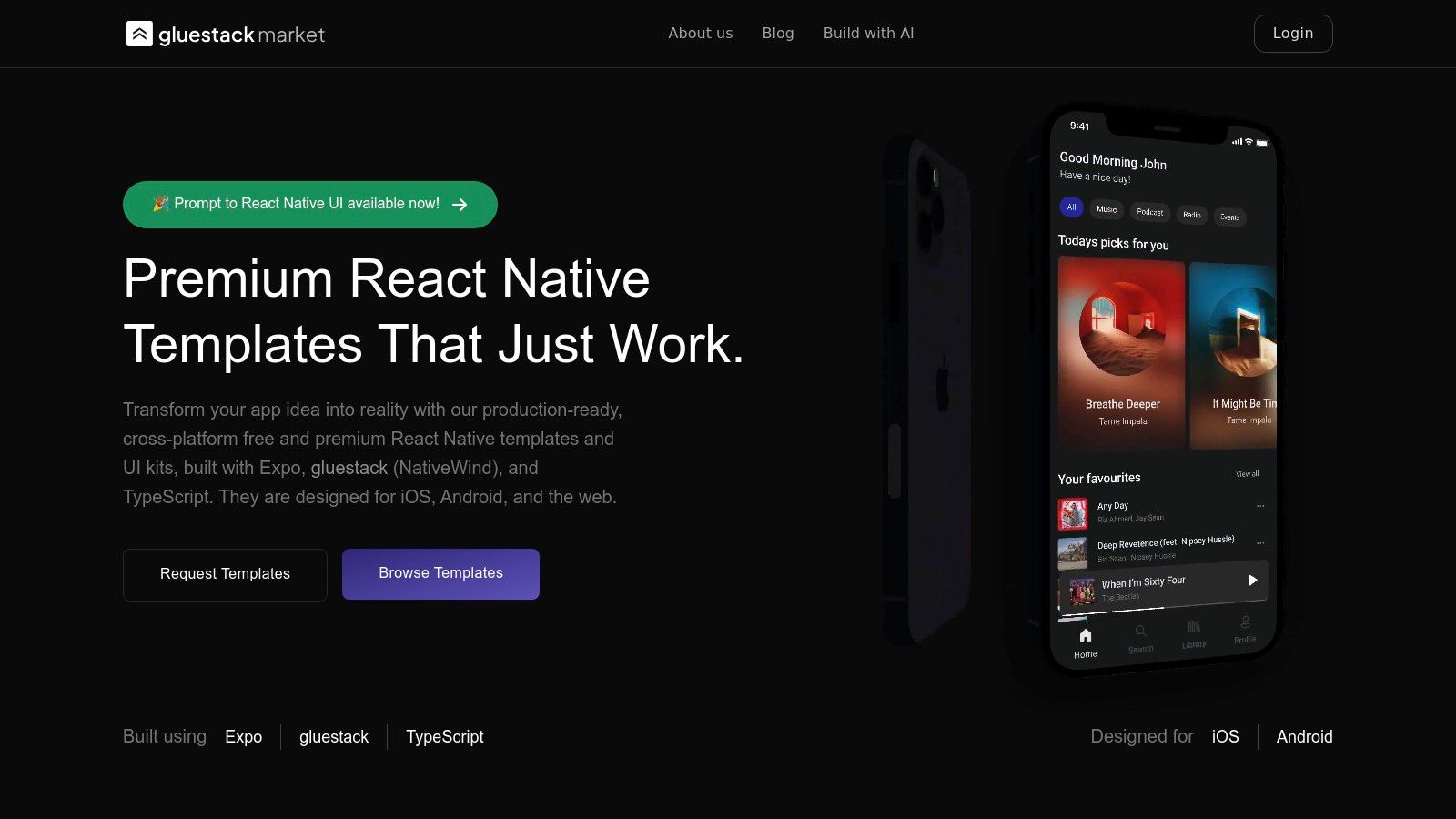
Kicking off our list of the best React Native UI libraries is gluestack-ui, a standout choice that has quickly become a foundational layer for modern cross-platform development. It is an open-source, universal, and accessible component library designed for speed, flexibility, and a seamless developer experience across iOS, Android, and the web. Its core philosophy revolves around providing unstyled, 'headless' components that deliver functionality and accessibility out-of-the-box, giving developers absolute control over the final look and feel.
This approach liberates you from the design constraints of more opinionated libraries. Instead of overriding existing styles, you build your own design system from a solid, performance-optimized foundation. This makes gluestack-ui an ideal candidate for teams that need to implement a unique brand identity without compromising on native performance or platform consistency.
What truly sets gluestack-ui apart is its sophisticated styling engine. It masterfully caters to different developer preferences by supporting both utility-first props (akin to Tailwind CSS) and traditional style objects. This dual approach allows for rapid prototyping with inline utilities while also accommodating complex, scalable styling patterns for large applications.
The flexibility of gluestack-ui makes it suitable for a wide range of projects. Startups can quickly build and iterate on MVPs, while established enterprises can construct robust, scalable design systems that enforce brand consistency across all digital touchpoints. Because it's a "bring-your-own-design" tool, it's particularly effective for agencies and freelance developers building bespoke applications for clients with specific design requirements.
| Feature | Status / Support |
|---|---|
| Styling Philosophy | Unstyled (Headless) by default, highly customizable |
| Styling API | Utility-first props (like Tailwind CSS) and standard style objects |
| Expo Support | ✅ First-class support |
| TypeScript Support | ✅ Excellent, with comprehensive type definitions |
| Accessibility | ✅ Built-in from the ground up |
| Community | Active and growing, with strong backing from the gluestack team |
| Licensing | MIT License (Open Source) |
| Website | Visit gluestack.io/ui |
In summary, gluestack-ui is more than just a component library; it's a complete toolkit for building sophisticated, high-performance, and truly universal user interfaces. While it requires more initial styling decisions compared to pre-designed libraries, the payoff is unparalleled control and a future-proof foundation for your application.
Before committing to a UI library, it's crucial to survey the entire landscape. The React Native Directory is a community-driven catalog and search engine specifically for React Native libraries. While not a UI library itself, it is an indispensable tool for discovery and due diligence, earning its place on this list as a critical first stop in your selection process. It allows you to find, compare, and vet potential UI libraries based on concrete, up-to-date metrics.
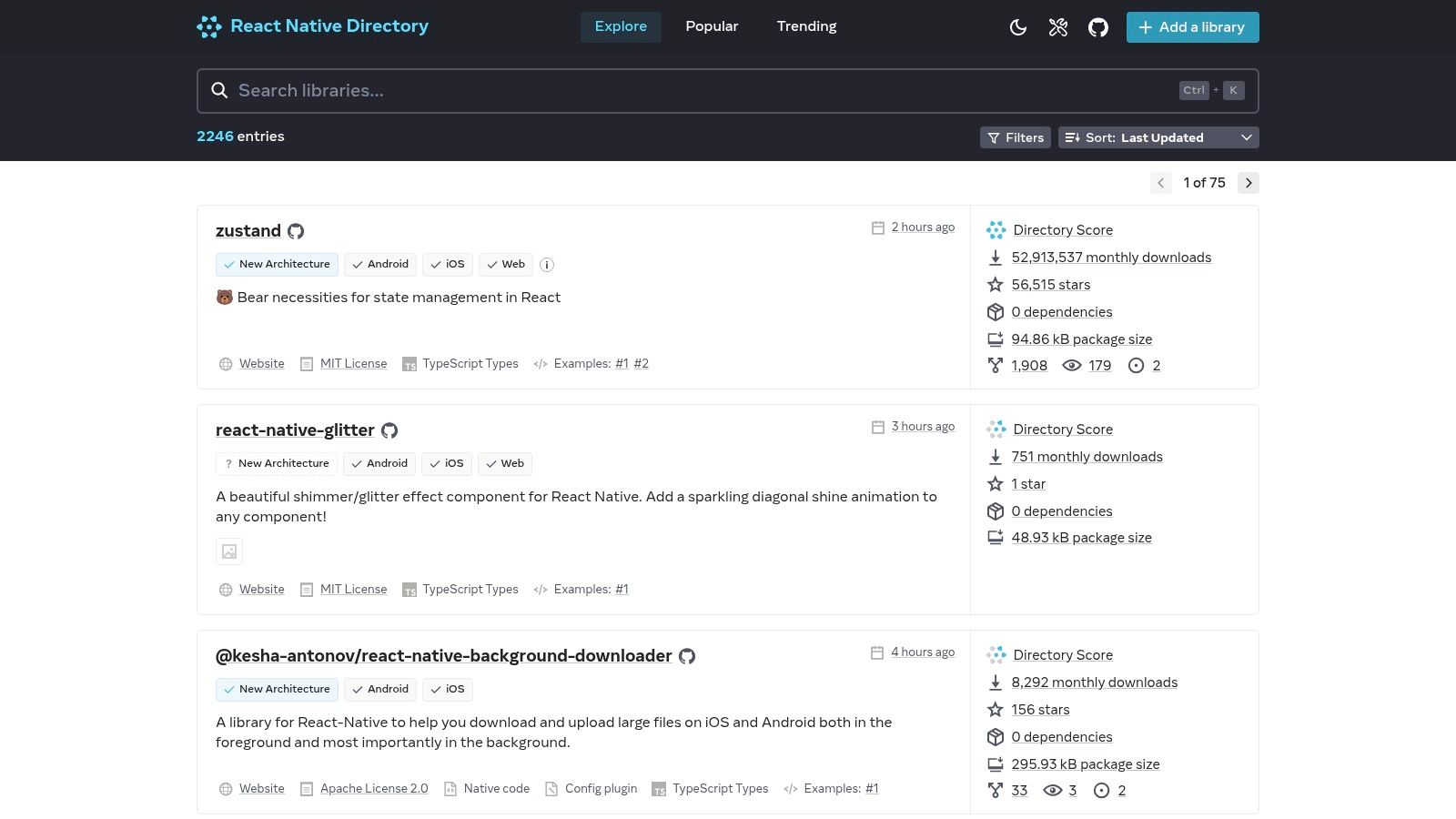
This platform excels at helping developers avoid one of the biggest pitfalls in the open-source world: adopting an abandoned or poorly maintained library. By pulling data directly from npm and GitHub, it provides at-a-glance health checks on any given package.
The Directory’s power lies in its robust filtering system. To narrow down your search for the best React Native UI libraries, you can apply specific criteria that match your project's technical requirements.
Pro Tip: Use the "UI" category filter combined with the "Expo Go" filter to generate a curated list of component libraries that are easy to prototype with. From there, sort by "Last Update" or "Popularity" to see which options are currently trending and actively maintained.
Unlike a blog post or a curated list (like this one), React Native Directory provides a neutral, data-driven overview of the entire ecosystem. It doesn't offer opinions; it presents facts. This makes it an excellent complementary tool for verifying the recommendations you find in articles.
It is completely free to use and provides direct links to each library's GitHub repository and npm page. This transparency empowers you to conduct your own deep-dive analysis before writing a single line of code. By starting your search here, you ensure the libraries you shortlist are viable, well-maintained, and technically compatible with your stack.
| Feature | Description |
|---|---|
| Pricing | Completely free and open source. |
| Access | Publicly accessible website with a public API for programmatic queries. |
| Unique Offering | Unbiased, comprehensive catalog with real-time maintenance and usage data. |
| User Experience | Clean, functional interface designed for quick filtering and discovery. |
Website: https://reactnative.directory
For developers looking to accelerate their projects with pre-built solutions, CodeCanyon (part of the Envato Market) is a leading marketplace for premium React Native UI kits, themes, and full application templates. Instead of providing a foundational component library, it offers complete screen packs and vertical-specific starter kits for niches like e-commerce, finance, or food delivery. This makes it an invaluable resource for building MVPs or client projects under tight deadlines.
This platform shifts the focus from building individual components to acquiring fully designed and often functional screens. It’s a trade-off: you gain speed but cede some architectural control. The key is to find high-quality assets that align with your project goals, which requires careful vetting of the available options.
CodeCanyon’s strength is its vast selection, but this also presents a challenge. To find the best React Native UI libraries and templates for your needs, use its filtering and product review features strategically.
Pro Tip: Pay close attention to the license type. A "Regular License" typically covers use in a single end product that is not sold, while an "Extended License" is required if your end user must pay to use the app. Understanding this distinction is crucial for commercial projects.
Unlike open-source libraries that provide building blocks, CodeCanyon offers near-complete solutions. The immediate value is speed. You can acquire dozens of beautifully designed screens, complete with navigation and state management, for a one-time fee. This is especially useful for freelancers, agencies, and startups that need to deliver a polished prototype or a full app quickly.
While quality can vary between authors, the best assets on CodeCanyon are often feature-rich, including support for dark mode, RTL layouts, and extensive documentation. The platform’s review and comment system provides a layer of community-driven quality control, helping you avoid abandoned or poorly coded products.
| Feature | Description |
|---|---|
| Pricing | One-time purchase per item, with prices typically ranging from $19 to $79. |
| Access | Publicly accessible marketplace; requires an account to purchase and download assets. |
| Unique Offering | Commercially sold, full-app templates and vertical-specific UI kits for rapid development. |
| User Experience | Standard marketplace interface with robust filtering, sorting, and product review tools. |
Website: https://codecanyon.net/search/react-native
For teams and developers who value speed and aesthetic consistency, starting with a professionally designed template can be a massive accelerator. Creative Tim is a well-known marketplace that provides fully-coded, premium React Native UI kits and app templates. Rather than offering a set of components, it delivers complete, production-ready solutions built on established design systems like Material Design, Soft UI, and Argon.
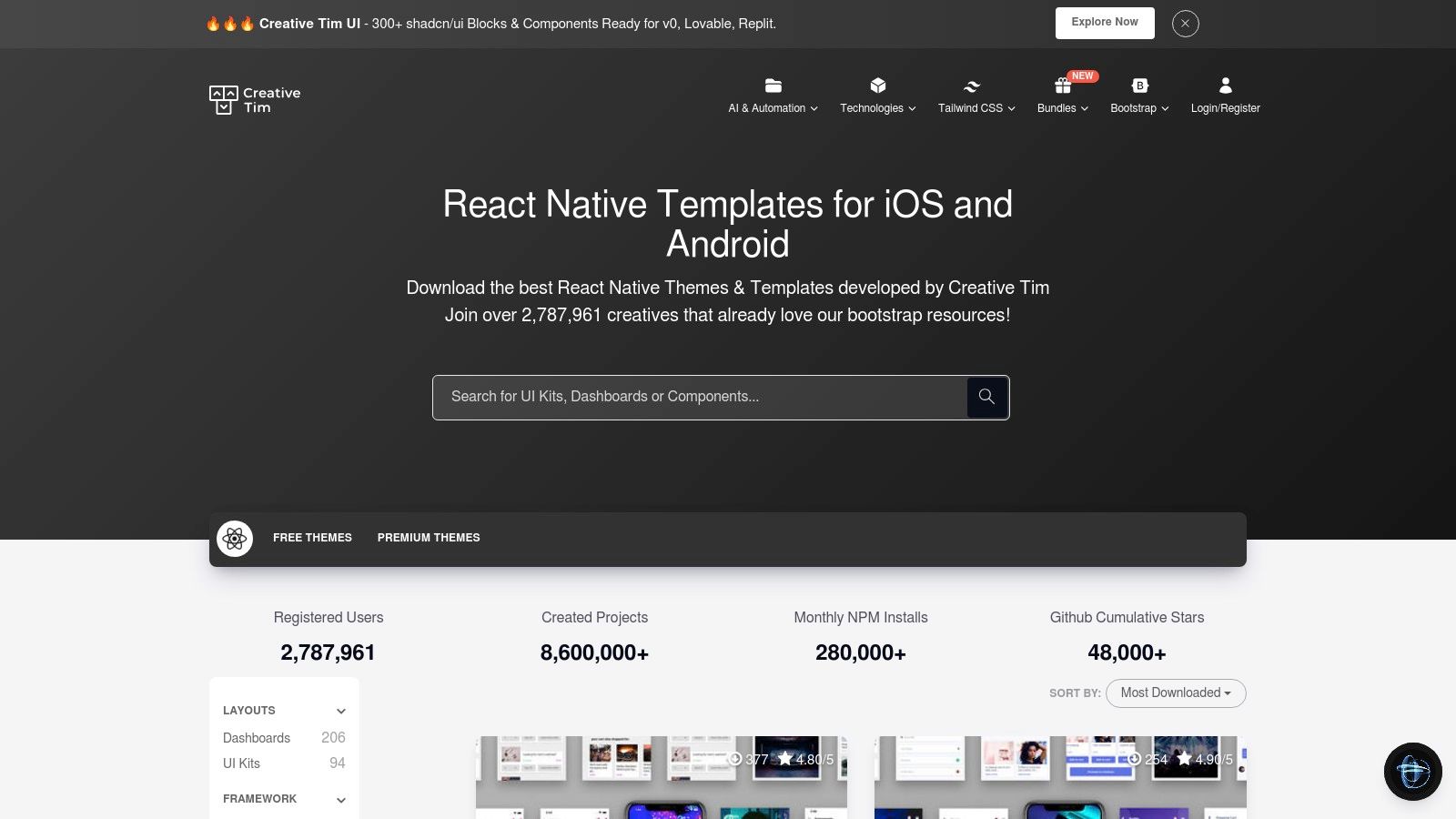
This approach is ideal for building Minimum Viable Products (MVPs), prototypes, or client projects where a polished, cohesive design is required from day one. Their templates are typically built with Expo, ensuring a smooth and accessible developer experience for a wide range of projects. By providing a solid foundation, Creative Tim helps developers bypass the time-consuming process of designing and building common UI patterns from scratch.
Creative Tim is best used when you have a clear vision for your app's look and feel. The platform is organized by design systems, making it easy to find a template that aligns with your brand identity.
Pro Tip: Look for "FREE" versions of their premium kits. These often include a generous number of components and screens, making them perfect for smaller projects or for evaluating the code quality and design system before committing to a paid license.
Unlike open-source component libraries, Creative Tim offers a commercial, productized solution. The key advantage is the guarantee of a cohesive, professionally designed, and well-documented product. This makes it one of the best React Native UI libraries and template sources for those prioritizing speed to market. While the catalog is more curated and smaller than vast marketplaces, the quality and consistency are reliable. For those interested in this approach, you can explore more about starting with pre-built solutions by checking out this guide on mobile app templates.
The clear licensing tiers define usage rights, support periods, and update schedules, which is crucial for commercial projects that require dependability and long-term maintenance.
| Feature | Description |
|---|---|
| Pricing | Freemium model with free kits and premium templates (one-time purchase). |
| Access | Direct downloads from the website after purchase or for free products. |
| Unique Offering | Fully-coded, Expo-based app templates with consistent, professional design systems. |
| User Experience | Polished product pages with live demos, clear documentation, and easy checkout. |
Website: https://www.creative-tim.com/templates/react-native
For teams and developers aiming to launch a full-featured app rather than build one from scratch, Instamobile offers a compelling alternative to component-based UI libraries. It is a premium marketplace specializing in production-ready React Native templates. Instead of providing individual components, Instamobile delivers complete, domain-specific application codebases for niches like social networks, food delivery, finance, and e-commerce.
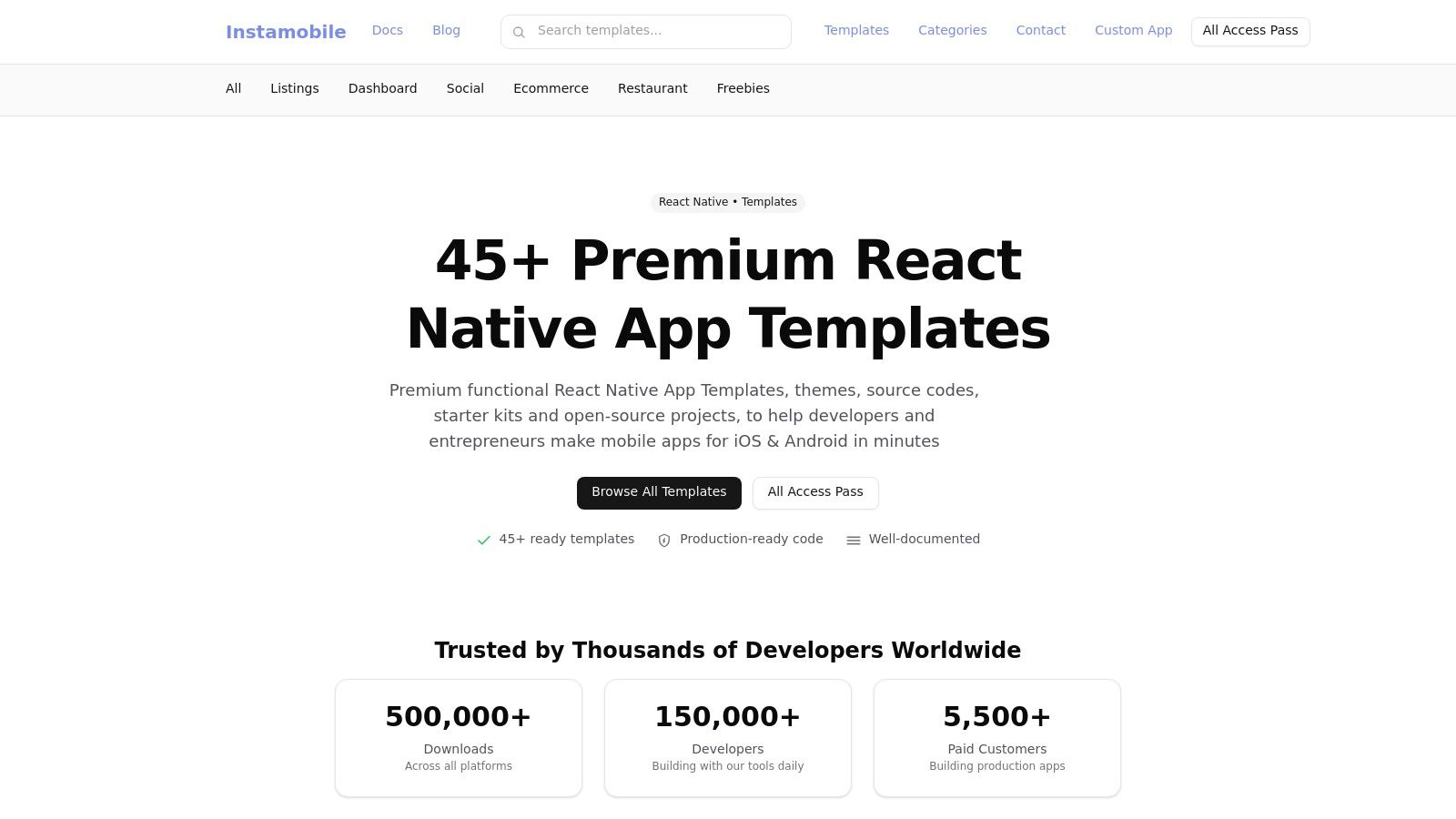
This platform is designed to dramatically accelerate development time by providing pre-built user flows, backend integrations (primarily with Firebase), and polished UI screens. It shifts the focus from building foundational features to customizing a nearly finished product, making it one of the fastest routes to market for common app archetypes.
Instamobile's value lies in its verticalized solutions. The key to success is aligning your project's core requirements with one of their existing templates to maximize the head start you receive.
Pro Tip: For agencies or serial entrepreneurs, the "All-Access" bundle is the most cost-effective option. It provides lifetime access to all current and future templates, which is ideal for rapidly prototyping and launching multiple MVPs without incurring repetitive costs.
Unlike traditional UI libraries that provide building blocks, Instamobile provides the entire building. This "app-in-a-box" approach is its unique selling proposition, offering immense value to those whose app idea fits a common pattern. The code quality is high, and the inclusion of a fully functional Firebase backend saves hundreds of development hours.
While it involves a higher upfront cost than open-source libraries, the return on investment is measured in a drastically reduced time to market. This makes it an invaluable resource for startups and agencies needing to deliver a polished, functional product on a tight schedule.
| Feature | Description |
|---|---|
| Pricing | Premium; priced per template or via an All-Access bundle. |
| Access | Purchase and download source code directly from the website. |
| Unique Offering | Production-ready, full-app templates with integrated Firebase backends. |
| User Experience | Clear storefront with detailed product pages, demos, and documentation. |
Website: https://www.instamobile.io
React Native Elements is a community-driven, cross-platform UI toolkit that provides a collection of general-purpose components. It stands out by wrapping fundamental React Native components into a more opinionated and convenient API, saving developers from writing repetitive boilerplate code. Its focus on component structure over heavy-handed styling makes it one of the best React Native UI libraries for teams that want a solid foundation without being locked into a specific design aesthetic.
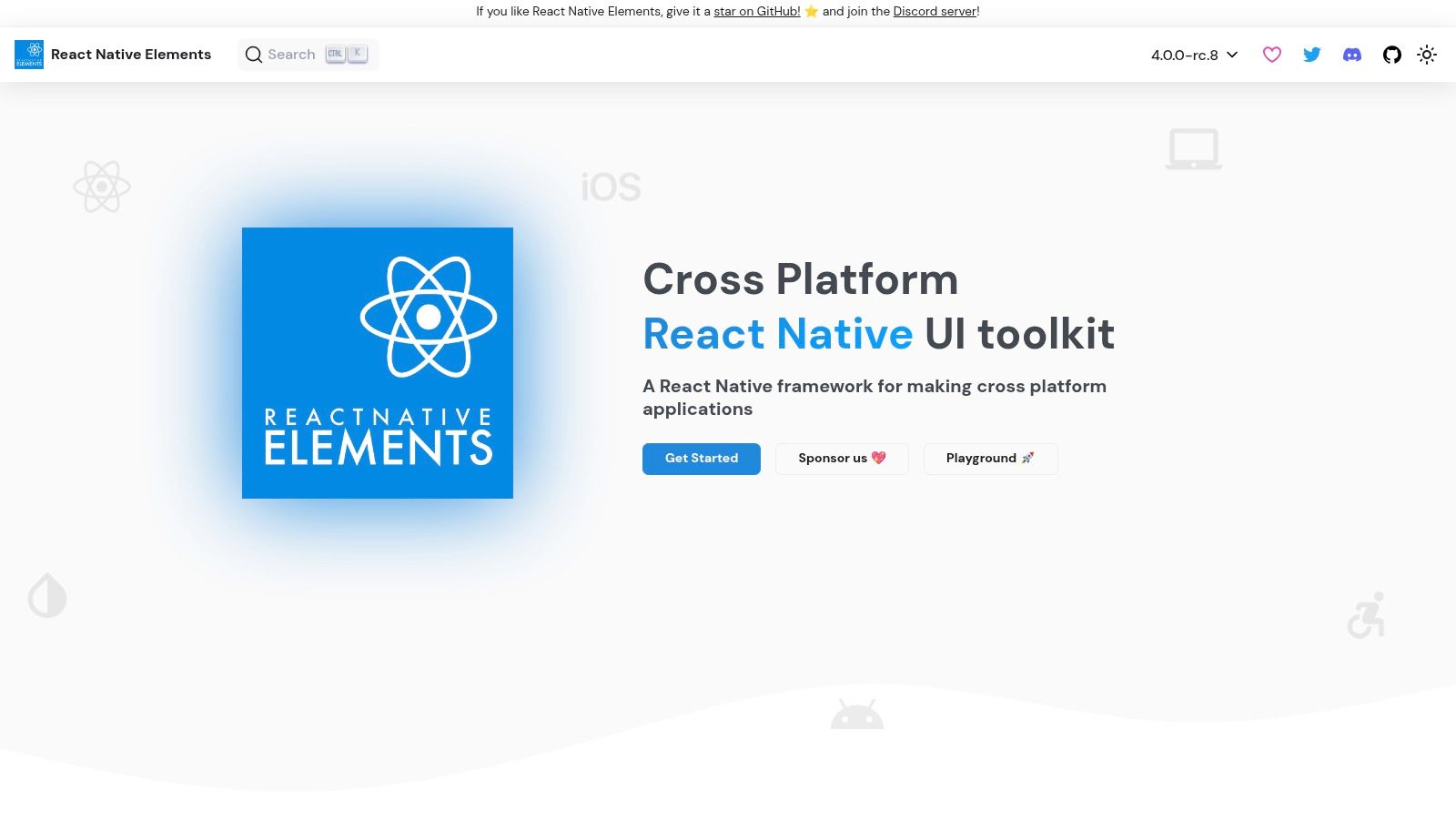
This library is built entirely in TypeScript, offering strong type safety out of the box. The components are designed to be easily customizable through a straightforward theming prop system, allowing developers to inject their own design tokens and styles. This approach strikes a balance between providing ready-made components and offering the flexibility needed for custom branding.
The strength of React Native Elements lies in its simplicity and consistency. To get the most out of it, developers should lean into its core theming capabilities and component-centric architecture.
ThemeProvider to wrap your entire application. This allows you to define a global theme object with colors, fonts, and spacing that all React Native Elements components will inherit. This ensures brand consistency and simplifies style updates.containerStyle for iOS and Android). Use these to fine-tune the look and feel on each platform without cluttering your code with conditional logic.replaceTheme Prop: For components that need a one-off style variation without affecting the global theme, the replaceTheme prop is invaluable. It lets you override specific theme values for a single component instance.Pro Tip: Install the official React Native Elements VS Code extension. It provides helpful code snippets for all components, significantly speeding up the development process by reducing the need to reference documentation for common props.
Unlike more comprehensive design systems, React Native Elements focuses on providing a set of unopinionated, foundational UI building blocks. It doesn’t enforce a rigid visual language like Material Design, giving developers complete creative control. This makes it an excellent choice for integrating into an existing app or for projects with a highly unique visual identity. The library is backed by a large and active community, ensuring ongoing maintenance and support through GitHub and Discord. For those interested in building their own UI system, exploring how libraries like this are constructed can be very insightful. You can learn more about creating a React Native design system to deepen your understanding.
| Feature | Description |
|---|---|
| Pricing | Completely free and open source (MIT License). |
| Access | Public npm package and GitHub repository. |
| Unique Offering | A set of foundational, easily themeable components with a consistent and simple API. |
| User Experience | Straightforward integration and customization, ideal for both beginners and experts. |
Website: https://reactnativeelements.com
Tamagui is more than just a component library; it's a comprehensive style system, an optimizing compiler, and a UI kit rolled into one powerful package for React Native and web. It's designed for developers who need to build high-performance, truly cross-platform applications with a unified design system. By focusing on performance optimization at the compiler level, Tamagui delivers near-native speed and a seamless developer experience.
This platform uniquely bridges the gap between web and native development, offering style and component parity that few others can match. Its optimizing compiler is a game-changer, as it flattens your component tree and extracts styles to CSS at build time, significantly reducing runtime overhead. This makes it one of the best React Native UI libraries for performance-critical applications.
Tamagui’s power comes from its composable architecture. You start with primitives and build up, giving you complete control over your design system.
XStack, YStack, and Text components as your primary building blocks. These are highly optimized and form the foundation of your layouts.button with primary and secondary variants). This keeps your component API clean and your styling consistent across the app.Pro Tip: Spend time understanding the compiler configuration. While it has a learning curve, correctly setting up
tamagui.config.tsis the key to unlocking its full performance potential. Use one of the official starters to see a production-ready setup in action.
Tamagui’s standout feature is its optimizing compiler. While other libraries manage styles at runtime, Tamagui does the heavy lifting at build time. This results in faster rendering, smaller bundle sizes, and a more responsive user interface. Its focus on creating a single codebase for both native and web without compromising on performance or developer experience is unmatched.
For teams building a sophisticated, multi-platform design system, Tamagui provides the low-level control and high-level performance needed to scale. It offers both styled components for rapid development and headless components for maximum customization.
| Feature | Description |
|---|---|
| Pricing | Core library is open source (MIT). Paid tiers available for commercial support and advanced features via Takeout. |
| Access | Publicly available on GitHub and npm. Paid features are accessed through the Takeout service. |
| Unique Offering | An optimizing compiler that statically extracts styles for maximal performance on both web and native platforms. |
| User Experience | Offers a powerful but steep learning curve. The documentation is extensive, and community support is active. |
Website: https://tamagui.dev
| Item | Implementation Complexity 🔄 | Resources & Cost ⚡ | Expected Outcomes 📊 | Effectiveness ⭐ | Ideal Use Cases / Key Advantages 💡 |
|---|---|---|---|---|---|
| gluestack market | Low–Medium — plug‑and‑play UI; full‑stack needs additional setup 🔄 | Moderate — per‑template pricing (~$99), gluestack‑ui pro $199; paid support optional ⚡ | Rapid cross‑platform UI delivery; production‑ready screens and docs 📊 | ⭐⭐⭐⭐ — well‑maintained, curated templates | Best for indie devs, startups, agencies wanting fast MVPs; large library of copy‑paste screens, flexible licensing 💡 |
| React Native Directory | Very Low — discovery/catalog only; no code changes required 🔄 | Low — free to use; time investment for evaluation ⚡ | Improved library discovery and vetting signals; not a product itself 📊 | ⭐⭐ — value depends on selected libraries | Ideal for research and comparing UI libraries; surface maintenance/popularity signals 💡 |
| CodeCanyon (Envato) | Low–Medium — buy and integrate templates; vetting required 🔄 | Low–Moderate — many budget options and discounts; variable maintenance cost ⚡ | Wide selection of vertical templates; quality and updates vary 📊 | ⭐⭐⭐ — broad but inconsistent quality | Good for cost‑effective, many‑choices approach; vet authors and changelogs before buying 💡 |
| Creative Tim | Low — polished, documented templates with consistent design systems 🔄 | Moderate–High — premium pricing with defined support windows ⚡ | Cohesive, well‑designed apps with solid documentation and demos 📊 | ⭐⭐⭐⭐ — curated vendor quality | Teams needing polished design systems (Material/Soft UI/Argon) and clear support tiers 💡 |
| Instamobile | Low–Medium — production‑ready starters with Firebase integration 🔄 | Moderate–High — single templates or All‑Access bundle; transparent pricing ⚡ | Fast verticalized MVPs with integrated backends (Firebase) 📊 | ⭐⭐⭐⭐ — strong vertical focus and docs | Best for teams wanting domain‑specific apps (food, social, finance) and Firebase starters; watch for stack lock‑in 💡 |
| React Native Elements | Very Low — drop‑in component library, easy integration 🔄 | Very Low — free, open source (MIT); community support ⚡ | Consistent UI primitives and theming for quick builds 📊 | ⭐⭐⭐ — reliable OSS solution for many apps | Ideal for teams needing a free, TypeScript‑friendly component layer; may require styling overrides 💡 |
| Tamagui | Medium–High — compiler/configuration and design‑system setup 🔄 | Low monetary cost but higher engineering effort for setup ⚡ | High performance and platform parity; optimized runtime and SSR friendliness 📊 | ⭐⭐⭐⭐ — strong performance and scalability | Suited for teams building unified, high‑performance design systems across web and native; compose from primitives rather than ready screens 💡 |
Navigating the landscape of the best React Native UI libraries can feel overwhelming, but making an informed choice is one of the most impactful decisions you'll make for your project. The right library accelerates your development, ensures a consistent user experience, and provides a stable foundation for future growth. As we've explored, the "best" library isn't a one-size-fits-all solution; it’s a strategic choice tailored to your team's skills, your app's complexity, and your go-to-market timeline.
The key takeaway is to align your selection with your primary goal. Are you building a highly bespoke, branded application that demands a unique design system? A foundational, unstyled library like gluestack-ui offers the ultimate creative freedom. Or is your priority speed and adherence to a well-established design language? A library like React Native Paper provides a robust, production-ready set of Material Design components right out of the box.
To crystallize your decision, consider these critical factors as a final checklist. Evaluate each library we've discussed against these points to find your ideal match:
Project Timeline & Scope: If you're building an MVP or a prototype for a startup, speed is paramount. A full-featured component library or a pre-built template from a marketplace like gluestack market can drastically reduce development time, allowing you to validate your idea faster. For long-term, complex projects, a more customizable library might be a better investment.
Customization vs. Convention: How unique does your app's UI need to be? If you need to follow platform-specific conventions (iOS Human Interface Guidelines or Android's Material Design), a highly opinionated library is your friend. If your brand identity requires a completely custom look and feel, prioritize libraries with powerful theming engines and low-level styling primitives, such as UI Kitten or Tamagui.
Performance Requirements: For applications where every millisecond counts, like high-interaction games or data-intensive dashboards, performance is non-negotiable. Libraries like Tamagui are engineered for optimal performance across platforms by compiling styles and reducing runtime overhead. Always test your top choices with performance profiling tools on actual devices.
Team Expertise & Ecosystem: Consider your team's familiarity with concepts like utility-first CSS (a plus for NativeBase) or advanced TypeScript features. Equally important is the library's community, documentation, and maintenance status. An active community means better support, more resources, and faster bug fixes. Of course, this entire decision rests on the assumption that you've already committed to your core technology. If you're still weighing your options, it can be helpful to compare React Native with other frameworks like Flutter to ensure it aligns with your long-term goals.
Ultimately, the goal is to choose a tool that empowers you, not one that restricts you. The best React Native UI libraries act as a force multiplier, enabling you to build beautiful, functional, and performant applications for iOS, Android, and the web with confidence. Take the time to build a small proof-of-concept with your top two or three candidates. This hands-on experience will provide invaluable insights that no article can replace and set your next project up for success.
Ready to skip the setup and jump straight into building your app? Explore the high-quality, production-ready templates on gluestack market. Instead of building from scratch, you can start with a complete, professionally designed UI foundation, saving you hundreds of hours and allowing you to focus on what truly matters: your app's unique features. Find your perfect starting point on gluestack market today.

Feb 23, 2026
4 min read
Discover powerful mobile app monetization strategies to boost your revenue. Our guide covers IAPs, ads, and subscriptions for React Native apps and beyond.

Feb 22, 2026
4 min read
A clear guide to app development cost estimation. Learn what drives costs, see budget examples, and discover strategies to build your app for less.

Feb 21, 2026
4 min read
Discover how to promote mobile application effectively with proven ASO, paid campaigns, and retention strategies.

Feb 15, 2026
4 min read
Discover how to create a prototype of a website with a practical, step-by-step guide. Explore tools, testing methods, and tips to bring your idea to life.

Feb 14, 2026
4 min read
Confused about mockups vs wireframes? Learn the key differences, when to use each, and how to streamline your React Native app development workflow.

Feb 13, 2026
4 min read
Discover how mobile apps templates accelerate development. Learn to choose, customize, and deploy high-quality React Native templates for your next project.

Feb 12, 2026
4 min read
Explore mobile application interface design with practical tips, core principles, and platform-aware workflows to craft apps users love.

Feb 10, 2026
4 min read
Learn mobile first design principles to craft fast, accessible apps that delight users. Practical tips, examples, and testing strategies.

Feb 08, 2026
4 min read
Explore the progressive web app vs native debate with our in-depth guide. We compare performance, cost, and UX to help you make the right strategic choice.

Feb 07, 2026
4 min read
Discover how React Native templates can accelerate your app development. This guide explores choosing, customizing, and deploying templates for faster launches.

Feb 05, 2026
4 min read
Discover the key differences between expo vs react native, including workflow, builds, and performance to help you pick the right path for your app.

Feb 03, 2026
4 min read
Master image with text overlay in React Native with responsive, accessible patterns. Learn expo setup, NativeWind styling, and gluestack-ui examples.

Feb 03, 2026
4 min read
Discover cross platform app development with proven strategies to build faster for iOS, Android, and the web using a single, unified codebase.

Feb 01, 2026
4 min read
Learn how to make an app for my business quickly with template-based steps from planning to launch, plus tips to scale and optimize.

Jan 31, 2026
4 min read
Ready to build an app? This guide shares practical strategies for validating your idea, choosing a tech stack, and navigating the App Store launch.

Jan 30, 2026
4 min read
Master responsive design for mobile apps with this guide on fluid layouts, breakpoints, and React Native. Build UIs that adapt perfectly to any screen.

Jan 25, 2026
4 min read
Learn how to design an Android app that stands out. This guide covers UX research, wireframing, Material Design, and the developer handoff process.

Jan 24, 2026
4 min read
Explore ui design web essentials: a complete guide to principles, responsive patterns, and workflows for intuitive, engaging web interfaces.

Jan 23, 2026
4 min read
Discover 10 essential mobile app design best practices for building exceptional cross-platform apps. Actionable tips for UI, UX, navigation, and performance.

Jan 21, 2026
4 min read
Discover how to debug React Native apps effectively. This guide covers Flipper, React DevTools, and native code troubleshooting for faster development cycles.

Jan 20, 2026
4 min read
Learn how to create app for your business with a practical, modern approach. Plan, customize, and launch with proven steps.

Jan 19, 2026
4 min read
A complete guide to mobile app development for startups. Learn how to validate your idea, build an MVP, and launch a successful app faster and more affordably.

Jan 18, 2026
4 min read
Discover how to choose the right React website template to accelerate your project. Our guide covers everything from quality checklists to deployment.

Jan 17, 2026
4 min read
Discover how to choose, customize, and deploy a React Native app template. This guide provides practical steps for launching production-ready apps faster.

Jan 16, 2026
4 min read
Discover how mobile application templates accelerate development. This guide covers how to choose, customize, and launch your app with the right foundation.

Jan 13, 2026
4 min read
Start your journey in mobile app development for beginners. This guide breaks down how to build your first cross-platform app with React Native and Expo.

Jan 11, 2026
4 min read
Launch your own ride-hailing service with our guide to building a production-ready Uber app clone. Learn MVP strategy, tech stacks, and backend integration.

Jan 10, 2026
4 min read
Master modern cash app design with this guide. Learn the UI/UX, security, and React Native strategies needed to build a fintech app that users trust and love.

Jan 09, 2026
4 min read
Learn how to build a personal finance dashboard with React Native. A practical guide for developers on UI design, data architecture, and production readiness.

Jan 08, 2026
4 min read
A practical guide to building a cross-platform event check in app with React Native. Learn to implement QR scanning, offline sync, and deployment.

Jan 07, 2026
4 min read
Master linear gradient React Native components with our complete guide. Learn practical techniques for Expo, bare RN, and NativeWind to build stunning UIs.

Jan 06, 2026
4 min read
Learn how to change application name in your React Native & Expo projects. This guide covers display names, package IDs, and app store listings.

Jan 05, 2026
4 min read
Discover how to monetize mobile apps with our founder's guide. Learn proven React Native strategies for ads, IAPs, and subscriptions to maximize your revenue.

Jan 04, 2026
4 min read
A practical guide on how to create a website app with a single codebase. Learn to build for web, iOS, and Android using React Native, Expo, and TypeScript.

Jan 03, 2026
4 min read
Learn how to create an app for your business with this definitive guide. Discover practical strategies for validation, development, and launch that work.

Jan 02, 2026
4 min read
Learn how to create a wireframe for a website with this practical guide. Move from initial sketches to developer-ready designs that get built right.

Jan 01, 2026
4 min read
Deciding on progressive web application vs native? This guide offers a deep comparison of performance, cost, UX, and use cases to help you choose wisely.

Dec 31, 2025
4 min read
Discover 10 mobile app security best practices for React Native. Learn to secure data, APIs, and code with actionable tips and examples for 2025.

Dec 30, 2025
4 min read
Unlock the real React Native app development cost. Our guide breaks down pricing by feature, team, and complexity to help you budget with confidence.

Dec 29, 2025
4 min read
A practical guide to master your React Native debug workflow. Learn to use Flipper, React DevTools, and Hermes to solve bugs in Expo and bare RN apps.

Dec 28, 2025
4 min read
The ultimate React Native tutorial for beginners. Learn to build beautiful cross-platform apps using a modern stack like Expo, TypeScript, and gluestack-ui.

Dec 27, 2025
4 min read
A practical guide on how to build a mobile app. Learn to go from concept to a market-ready app using templates, React Native, and proven development strategies.

Dec 26, 2025
4 min read
Discover interface design for websites with actionable tips on layout, responsiveness, and usability to boost conversions.

Dec 25, 2025
4 min read
Discover designs for apps that blend minimal aesthetics with personalization, and learn to build user-centric interfaces that boost engagement.

Dec 24, 2025
4 min read
Learn graphical interface design - essentials for mastering core principles, modern workflows, and cross-platform strategies to build intuitive, engaging UIs.

Dec 23, 2025
4 min read
Discover how high fi wireframes bridge the gap between ideas and code. Learn a practical workflow for creating, testing, and handing off effective UI designs.

Dec 22, 2025
4 min read
Discover mobile app interface design with practical principles, accessibility, and workflows that boost user engagement.

Dec 21, 2025
4 min read
Explore the top 10 UI UX design trends for 2025. Get expert insights and practical React Native tips to build next-gen cross-platform apps that stand out.

Dec 20, 2025
4 min read
Discover how mobile app templates accelerate development from idea to launch. Learn to select, customize, and deploy templates for a faster time to market.

Dec 18, 2025
4 min read
Explore the best react native ui libraries to accelerate mobile development with performance, theming, and accessibility. Expert tips inside.

Dec 16, 2025
4 min read
Master React Native PDF handling. Learn to generate, view, and share PDFs with practical code examples, library comparisons, and performance tips.

Dec 15, 2025
4 min read
A practical guide to choosing the right React Native component library. Learn how to evaluate options, avoid common pitfalls, and build apps faster.

Dec 14, 2025
4 min read
Find the perfect React Native UI library for your project. This guide compares top libraries, selection criteria, and customization strategies.

Dec 13, 2025
4 min read
Learn how to change app name in React Native and Expo. Our guide covers display names, bundle IDs, and store listings for iOS and Android projects.

Dec 12, 2025
4 min read
Discover the best React Native component library for your next project. We compare top libraries on performance, customization, and real-world use cases.

Dec 11, 2025
4 min read
Discover how to choose the right React Native UI kit. This guide covers top kits, selection criteria, and customization to accelerate your app development.

Dec 10, 2025
4 min read
Explore our in-depth guide to find the best React Native UI library. We compare top contenders to help you choose the right fit for your project.

Dec 09, 2025
4 min read
Discover a practical approach to building apps with React Native. This guide covers setup, UI, state management, and testing to help you ship great apps.

Dec 08, 2025
4 min read
android login with facebook: Learn to set up the Facebook SDK, manage tokens, and implement secure authentication across native Android, cross-platform apps.

Dec 07, 2025
4 min read
Master the alert in React Native. Learn to handle platform differences, build custom modals, and apply best practices for a seamless user experience.

Dec 06, 2025
4 min read
keyboardavoidingview react native: Master keyboard handling with KeyboardAvoidingView across iOS, Android, Expo, and TypeScript.

Dec 05, 2025
4 min read
A practical guide to implementing a React Native PDF viewer. Learn to compare libraries, handle native setup, and troubleshoot common issues with real code.

Dec 04, 2025
4 min read
how to validate startup idea: learn proven methods like customer interviews, MVPs, and metrics to confirm market fit.

Dec 03, 2025
4 min read
how to make app like uber: Learn core features, tech stack, development steps, testing, and launch tips.

Dec 02, 2025
4 min read
Build a rock-solid React Native setup. This guide covers Expo vs. Bare workflows, TypeScript, pnpm monorepos, NativeWind, and deployment strategies.

Dec 01, 2025
4 min read
A practical guide to Stripe React Native integration. Learn to set up your server, build payment UIs, handle webhooks, and launch secure mobile payments.

Nov 30, 2025
4 min read
Learn how to master push notifications in React Native. This guide covers setup, best practices, and advanced techniques for engaging your users.

Nov 29, 2025
4 min read
Build powerful location-based apps with our practical guide to react native with google maps. Get setup guides, pro tips, and best practices for iOS & Android.

Nov 28, 2025
4 min read
Explore deep linking react native with a practical guide to configuring URL schemes, universal links, navigation, and testing for Expo and bare apps.

Nov 28, 2025
4 min read
A practical guide to building a scalable React Native design system. Learn to implement tokens, theming, and tools like NativeWind and gluestack-ui.

Nov 26, 2025
4 min read
Learn why react native expo templates speed up your projects with ready-made patterns and practical tips.

Nov 25, 2025
4 min read
Discover how to improve developer productivity with actionable strategies for workflow, tooling, and culture. A practical guide for software engineering teams.

Nov 24, 2025
4 min read
Discover the best cross platform app development tools. Compare top frameworks like Flutter and React Native to build and ship apps faster.

Nov 23, 2025
4 min read
This Expo React Native tutorial provides a hands-on guide to building cross-platform apps. Learn setup, styling with NativeWind, navigation, and deployment.

Nov 22, 2025
4 min read
Build beautiful UIs faster with this guide to Tailwind CSS React Native. Learn setup, styling, and advanced techniques with NativeWind for mobile apps.

Nov 21, 2025
4 min read
Explore our curated list of 7 top-tier React Native app examples. Discover production-ready templates and resources to build your next app faster.

Mar 19, 2025
4 min read
gluestack market offers React Native UI templates to accelerate development. Get customizable, production-ready React Native app templates and Ui kit, some free. Build faster & smarter today!


